Best Desktops for Developers, Programming, and Software Engineering

By the FilterKilter Editorial Team

Updated September 6, 2026

How we rank

A development desktop is bought once and then asked to do everything: an editor, a browser full of tabs, a local database, a container stack, and a compiler that occasionally wants every core in the machine. This list ranks desktops with 16 GB of RAM or more by overall rating, then sets out where the requirement genuinely changes; larger builds and virtual machines on one side, ordinary web work, which needs considerably less, on the other.

What to Look For

  • Memory is the first thing most developers run out of. 16 GB is the floor on this list and enough for an editor, a browser and one local service; 32 GB is the comfortable figure once a database and a container or two are always running.
  • Core count is the direct lever on compile, test and container build times. Single-core speed is what you feel in the editor, in scripting and in a dev server reloading.
  • Fast NVMe storage matters more than its price suggests. Repositories, dependency caches, container images and package installs are all storage-bound, and a slow drive shows up in every command you run.
  • A dedicated graphics card is not part of this purchase unless the work is machine learning, game development or 3D. Spend the money on memory and storage instead.
  • This ranking sees RAM, cores, storage and price. It cannot see toolchain or operating-system support, so confirm the platform your stack needs before ordering.

Choose for Your Situation

These picks are ranked as general-purpose machines using configuration, price and catalog data. The considerations below are not ranking inputs — they are what to check yourself before buying.

Everyday coding with many tools open at once

Most working days are an editor, a browser, a terminal or three and one or two local services. The machine that does this well is a balanced one, not a specialised one.

  • 16 GB is workable for an editor, a browser and a single local service. Move to 32 GB once a database, a message queue or a container stack is running all day.
  • Favour single-core speed over raw core count if your day is editing, scripting and reloading a dev server rather than building.
  • A second monitor changes daily productivity more than a faster processor does at this level, and costs less.
  • Check that your language runtimes and container tooling are supported on the operating system the machine ships with.

The ranking uses RAM, cores, storage and price. It does not evaluate toolchain support, operating-system choice or how many services you actually keep running, so read the order as a shortlist rather than a verdict on your setup.

Large projects: builds, containers and virtual machines

Compiling a large codebase, running a container stack or keeping a virtual machine open alongside your editor is the demanding end of this purchase, and it is mostly a memory and core-count question.

  • Core count is the lever that scales furthest here. A build that parallelises well gets most of the benefit of every core you add.
  • 32 GB or more once a virtual machine or a multi-container stack runs alongside the editor. Swapping to disk costs more time than any processor upgrade returns.
  • Size the drive for artefacts, not for source. Images, caches and build output consume far more space than the code does.
  • If the heavy builds happen in CI rather than locally, buy for the edit-and-debug loop instead of the worst-case compile.

Nothing in our catalog records build performance, virtualisation features or memory bandwidth. Cores and memory are proxies for this work here, not measurements of it.

Web work usually needs less machine than this list assumes

Front-end and everyday full-stack web development is one of the lighter jobs in this family — the same purchase made smaller rather than a different one, which is why it is covered here instead of on a page of its own.

  • 16 GB comfortably handles an editor, a dev server, a browser with many tabs open and a local database on most web projects.
  • Asset and bundler builds respond to single-core speed and fast storage more than to a high core count.
  • Put the saved money into a larger or second monitor, or an NVMe drive with room to spare, rather than into more cores.
  • If budget is the binding constraint, start from our desktop price guides rather than from this list.

This list gates on 16 GB of RAM and ranks on overall rating, so it will not surface the cheapest machine that would run web work perfectly well. Use the price guides or the filter tool for that.

How We Chose

Best Desktops for Developers, Programming, and Software Engineering is for buyers comparing 16 GB of RAM or more. The shortlist comes from those requirements against the live catalog; CPU performance, memory and storage headroom, connectivity, and upgradeability are what to weigh when you compare what is left.

  • 1Each pick must match the guide brief: 16 GB of RAM or more.
  • 2The generator sorts matching desktops by the desktop-developer intent score first and applies a per-brand cap so one lineup does not crowd out the page.
  • 3RAM and SSD capacity are treated as practical ownership factors, not just spec-sheet decoration.
  • 4Retailer links and commissions do not affect ranking order.

Our Top Picks

Affiliate disclosure: Links to retailers on this page are affiliate links. If you buy after clicking one, we may earn a commission at no extra cost to you. Commissions do not influence which laptops we rank or in what order. See our full Affiliate Disclosure.

Data & accuracy: Rankings are based on publisher specifications, retailer pricing snapshots, and published system requirements. We do not physically test the products listed, and prices, configurations, and availability change frequently. Always confirm the exact configuration and final price on the retailer’s site before buying. See our full methodology →

Informational only: Content on this site is provided for informational purposes and is not professional, financial, or technical advice. Use your own judgment when making a purchase.

Best development configuration

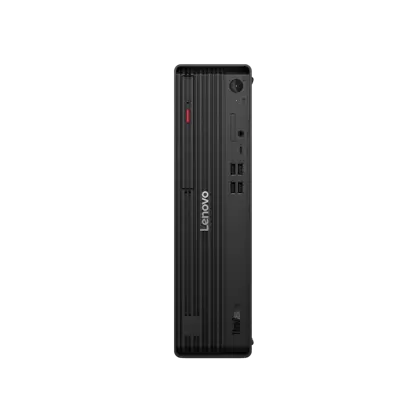
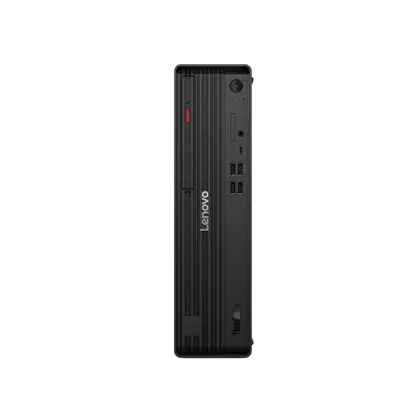
ThinkCentre M90s Gen 6 (Intel) Small Form Factor

Lenovo

64 GB RAM2 TB StorageIntel® Core™ Ultra 7 265 vPro® Processor (E-cores up to 4.60 GHz P-cores up to 5.20 GHz)
$2,569

Price as of Jul 2026

Why it made the list: This is for sustained tool-heavy work rather than a single benchmark burst. ThinkCentre M90s Gen 6 (Intel) Small Form Factor keeps the first slot because the most memory here at 64GB gives this listing a specific job in the lineup.

Best development configuration

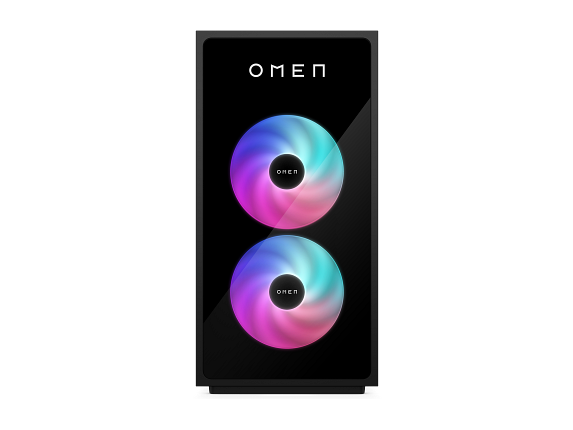
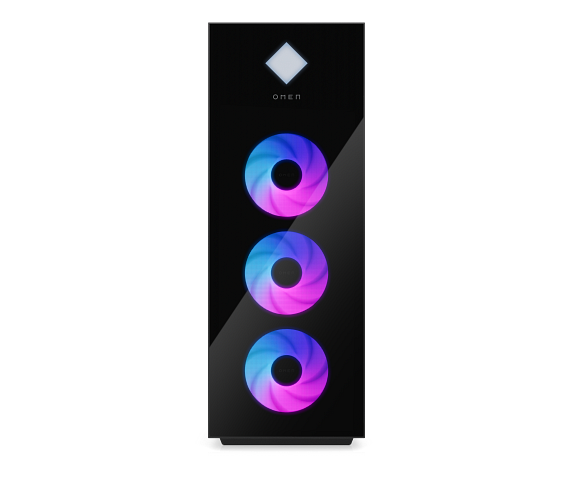
OMEN by HP 45L Gaming Desktop GT22-3090, Windows 11 Pro, Intel® Core™ Ultra 9, 64GB RAM, 2TB SSD, NVIDIA® GeForce RTX™ 5090, Black

HP

64 GB RAM2 TB StorageIntel® Core™ Ultra 9 285K (up to 5.7 GHz with Intel® Turbo Boost Technology, 36 MB L3 cache, 24 cores, 24 threads)[6,7]NVIDIA® GeForce RTX™ 5090 (32 GB GDDR7 dedicated)
$5,959.99

Price as of Sep 2026

Why it made the list: It stays in the upper half of the list by being the CPU-and-memory system rather than trying to be everything. It suits a desk where CPU responsiveness, memory headroom, and fast project storage matter throughout the day. the runner-up on RAM here at 64GB is the reason OMEN by HP 45L Gaming Desktop GT22-3090 stays in the conversation for this guide.

Best development configuration

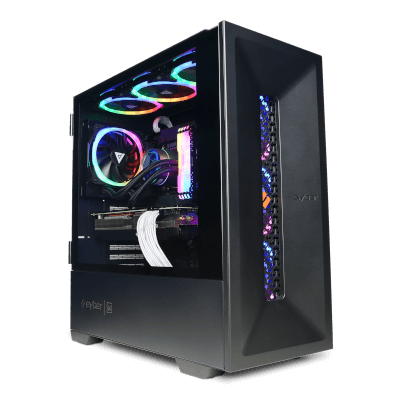
CyberPowerPC GeForce Extreme Creator Gaming PC

CyberPowerPC

64 GB RAM4 TB StorageIntel® Core™ Ultra 9 Processor 285KGeForceRTX™ 509032GB GDDR7 Video Card
$6,429

Price as of Sep 2026

Why it made the list: What keeps it near the top is that it fills the role of the development-work choice. It fits development work where editors, containers, builds, local services, and browser documentation run together. What keeps CyberPowerPC GeForce Extreme Creator Gaming PC relevant here is the most storage here at 4TB, especially if the higher-ranked picks miss that exact need.

Best development configuration

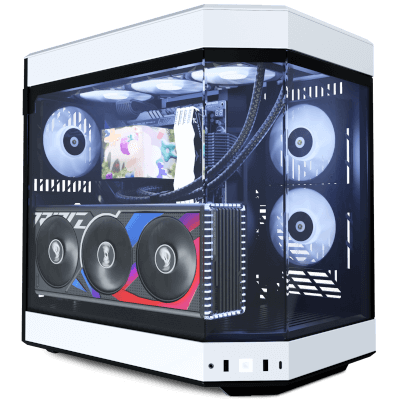
OMEN 35L Gaming Desktop GT16-0285t PC, Windows 11 Home, Intel® Core™ Ultra 9, 64GB RAM, 2TB SSD, NVIDIA® GeForce RTX™ 5080, Black

HP

64 GB RAM2 TB StorageIntel® Core™ Ultra 9 285K (up to 5.7 GHz with Intel® Turbo Boost Technology, 36 MB L3 cache, 24 cores, 24 threads)[6,7]NVIDIA® GeForce RTX™ 5080 (16 GB GDDR7 dedicated)
$6,499.99

Price as of Aug 2026

Why it made the list: The remaining unknown is system-level ownership detail: verify the ports, operating system, cooling, warranty, and upgrade access on the exact configuration. The useful distinction on OMEN 35L Gaming Desktop GT16-0285t PC is the runner-up on VRAM here at 16GB of VRAM, which keeps it from reading like filler.

Best development configuration

Alienware Area-51 Gaming Desktop

Dell

64 GB RAM4 TB StorageIntel® Core™ Ultra 9 285K, 24 coresNVIDIA® GeForce RTX™ 5080
$7,419.99

Price as of Sep 2026

Why it made the list: Lower on the page, the argument shifts to the compile-and-multitasking configuration and day-to-day practicality. 4TB of listed storage is a useful working capacity before external storage becomes urgent.

Best development configuration

Alienware Area-51 Gaming Desktop

Dell

64 GB RAM4 TB StorageIntel® Core™ Ultra 9 285K, 24 coresNVIDIA® GeForce RTX™ 5090
$7,919.99

Price as of Sep 2026

Why it made the list: For the right buyer, it answers the brief as the development-work choice more directly than its rank suggests. Alienware Area-51 Gaming Desktop earns a look because the least graphics memory here at 16GB of VRAM changes the buying decision for this particular page.

Best development configuration

CyberPowerPC Syber M Intel Core Ultra Workstation AI 02

CyberPowerPC

64 GB RAM2 TB StorageIntel® Core™ Ultra 9 Processor 285KPNY NVIDIA RTX PRO 6000 Blackwell GPU
$16,345

Price as of Sep 2026

Why it made the list: 64GB of RAM gives this exact configuration room for heavier multitasking and professional workloads. 24 listed CPU cores provide a concrete multitasking signal, though core count alone does not prove sustained speed.

Best development configuration

Alienware Aurora Gaming Desktop

Dell

64 GB RAM2 TB StorageIntel® Core™ Ultra 9 285K, 24 coresNVIDIA® GeForce RTX™ 5080
$4,449.99

Price as of Sep 2026

Why it made the list: The angle here is simple: the CPU-and-memory system, plus the basics. Alienware Aurora Gaming Desktop works as a comparison point because 64GB memory with 2TB storage plus $4,450 street price pushes it into a slightly different lane.

Best development configuration

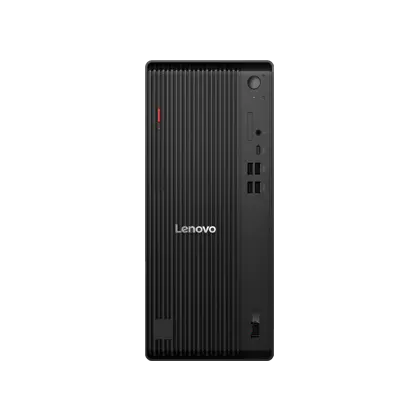
ThinkCentre M70t Gen 6 (Intel) Tower

Lenovo

64 GB RAM1 TB StorageIntel® Core™ Ultra 7 265 vPro® Processor (E-cores up to 4.60 GHz P-cores up to 5.20 GHz)
$1,803.12

Price as of Jul 2026

Why it made the list: Keep it in the mix if the development-work choice is closer to your needs than a flashier top pick. Configuration as listed: Intel® Core™ Ultra 7 265 vPro® Processor (E-cores up to 4.60 GHz P-cores up to 5.20 GHz), Integrated Intel® Graphics, 64GB RAM, 1TB storage.

Best development configuration

ThinkCentre M90s Gen 6 (Intel) Small Form Factor

Lenovo

64 GB RAM1 TB StorageIntel® Core™ Ultra 7 265 vPro® Processor (E-cores up to 4.60 GHz P-cores up to 5.20 GHz)
$1,847.16

Price as of Jul 2026

Why it made the list: In this part of the ranking, ThinkCentre M90s Gen 6 (Intel) Small Form Factor is mainly about the next cheapest pick here at $1,847 rather than broad all-purpose appeal.

Prices and availability are snapshots taken when we last refreshed this catalog and may change without notice. Confirm the current price, configuration, and stock on the retailer’s or manufacturer’s own product page before buying. Affiliate disclosure.
Want More Control?

Use this as the shortlist, then filter by CPU cores, RAM and storage inside the full FilterKilter tool.

Open FilterKilter — Full Filtering & Sorting Tool →

Frequently Asked Questions

Is a programming desktop different from a software engineering desktop?

Not in practice, which is why this guide covers both. The requirements move with the size of what you build, not with the job title: more cores and more memory as projects, containers and virtual machines grow. The guidance above splits it that way.

How much RAM do I need for development work?

16 GB is the floor on this list and is enough for most web and general coding. Choose 32 GB if you keep a database, a container stack or a virtual machine running alongside your editor; it is the upgrade least worth deferring.

Do I need a dedicated graphics card to write code?

No. Ordinary development runs perfectly well on integrated graphics. A dedicated card is worth buying for machine learning, game development or 3D work, and those have their own guides.

Is this the right list for web development?

Yes, with one caveat: web work needs less machine than the heavier end of this list is built around. Read the web section above, then consider a price guide if budget matters more than headroom.

Sources and Notes

AutoCAD system requirements

Autodesk Support. CAD and architecture requirements for engineering and workstation guides. Accessed 2026-05-21.

Blender system requirements

Blender Foundation. 3D, animation, and rendering hardware guidance for creator and workstation guides. Accessed 2026-05-21.

Visual Studio Code requirements

Microsoft Visual Studio Code Docs. Editor and development-tool context for programming guides. Accessed 2026-05-21.

Docker Desktop on Windows

Docker Docs. Local container workload requirements for developer computer recommendations. Accessed 2026-05-21.

Python documentation

Python Software Foundation. General Python setup context for data, scientific, and programming guides. Accessed 2026-05-21.

Browse All Desktop Buying GuidesClick to expand
← Browse all FilterKilter buying guides