Best Gaming Desktops Under $2,000

By the FilterKilter Editorial Team

Updated September 6, 2026

How we rank

Best Gaming Desktops Under $2,000 is really about balancing GPU and CPU balance, memory, storage, cooling, power headroom, and value. This list leans into under $2,000, 16 GB of RAM or more, and a dedicated GPU so you can compare the desktops that actually fit the brief. Use it as a shortlist, then narrow further inside FilterKilter once you know which tradeoffs matter most to you.

What to Look For

  • Set your budget first and treat under $2,000 as a hard constraint so you do not compare desktops that solve different problems.
  • Aim for at least 16 GB of RAM here so the desktop still feels comfortable once you add browser tabs, meetings, and background apps.
  • A dedicated GPU is part of the value equation in this category, but cooling and sustained performance matter just as much as the chip name on the spec sheet.
  • Compare the exact CPU, GPU, RAM, storage, and operating-system configuration before price because one desktop family name can cover very different systems.
  • Check chassis size, ports, cooling, power-supply headroom, and documented upgrade access before paying extra for cosmetic upgrades.

How We Chose

Best Gaming Desktops Under $2,000 is for buyers comparing under $2,000, 16 GB of RAM or more, and a dedicated GPU. The shortlist comes from those requirements against the live catalog; GPU and CPU balance, memory, storage, cooling, power headroom, and value are what to weigh when you compare what is left.

  • 1Each pick must match the guide brief: under $2,000, 16 GB of RAM or more, and a dedicated GPU.
  • 2The generator sorts matching desktops by ceiling-relative desktop value with the parent intent preserved and applies a per-brand cap so one lineup does not crowd out the page.
  • 3The price ceiling is enforced from the slug and the product data, so an "under $2,000" guide cannot include over-budget picks.
  • 4Dedicated-GPU picks are judged on graphics capability, memory, cooling headroom, display quality, and price.
  • 5RAM and SSD capacity are treated as practical ownership factors, not just spec-sheet decoration.

Our Top Picks

Affiliate disclosure: Links to retailers on this page are affiliate links. If you buy after clicking one, we may earn a commission at no extra cost to you. Commissions do not influence which laptops we rank or in what order. See our full Affiliate Disclosure.

Data & accuracy: Rankings are based on publisher specifications, retailer pricing snapshots, and published system requirements. We do not physically test the products listed, and prices, configurations, and availability change frequently. Always confirm the exact configuration and final price on the retailer’s site before buying. See our full methodology →

Informational only: Content on this site is provided for informational purposes and is not professional, financial, or technical advice. Use your own judgment when making a purchase.

Best gaming configuration

Dell Tower Plus Desktop PC

Dell

16 GB RAM1 TB StorageIntel® Core™ Ultra 7 265, 20 coresNVIDIA® GeForce RTX™ 5060
$1,399.99

Price as of Sep 2026

Why it made the list: Our top pick, and the reason is that it reads like the frame-rate-focused system. It fits a buyer who needs a balanced graphics system, not an expensive GPU attached to too little memory or storage. NVIDIA® GeForce RTX™ 5060 gives this system a known dedicated graphics path instead of relying on integrated graphics. 16GB of RAM gives this exact configuration a practical base for its intended workload. The remaining unknown is system-level ownership detail: verify the ports, operating system, cooling, warranty, and upgrade access on the exact configuration. Configuration as listed: Intel® Core™ Ultra 7 265, 20 cores, NVIDIA® GeForce RTX™ 5060, 16GB RAM, 1TB storage.
Best gaming configuration

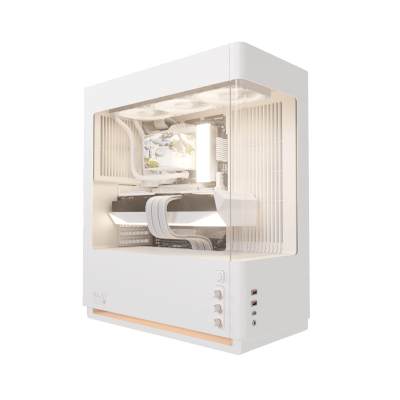
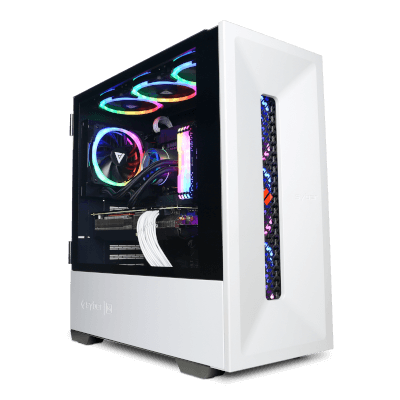
CyberPowerPC Labor Day Special I

CyberPowerPC

16 GB RAM2 TB StorageIntel® Core™ Ultra 5 Processor 225FAMD Radeon™RX 9060 XT8GB Video Card
$1,479

Price as of Sep 2026

Why it made the list: It suits modern games where GPU capability matters first, while CPU balance and cooling decide whether that capability lasts. 2TB is the largest listed storage configuration here, leaving more room for applications and project files.

Best gaming configuration

CyberPowerPC End of Summer Special I

CyberPowerPC

16 GB RAM2 TB StorageIntel® Core™ Ultra 5 Processor 225FAMD Radeon™RX 9060 XT8GB Video Card
$1,579

Price as of Aug 2026

Why it made the list: This is for gaming at a desk, where chassis airflow and power headroom matter more than cosmetic lighting. 2TB of listed storage is a useful working capacity before external storage becomes urgent. Intel® Core™ Ultra 5 Processor 225F identifies the processor in this configuration; sustained performance still depends on cooling and power limits.

Best gaming configuration

CyberPowerPC Syber GRVTY Mainstream Gaming PC

CyberPowerPC

16 GB RAM1 TB StorageAMD Ryzen™ 7 7800X3D ProcessorAMD Radeon™RX 9060 XT8GB Video Card
$1,485

Price as of Sep 2026

Why it made the list: Its case on this list is that it works as the gaming-performance choice. The useful distinction on CyberPowerPC Syber GRVTY Mainstream Gaming PC is 16GB memory with 1TB storage plus AMD Radeon™RX 9060 XT8GB Video Card, which keeps it from reading like filler.

Best gaming configuration

Dell Tower Plus Desktop PC

Dell

16 GB RAM1 TB StorageIntel® Core™ Ultra 7 265, 20 coresNVIDIA® GeForce RTX™ 3050
$1,879.99

Price as of Sep 2026

Why it made the list: The angle here is simple: the gaming-performance choice, plus the basics. 20 listed CPU cores provide a concrete multitasking signal, though core count alone does not prove sustained speed.

Best gaming configuration

Acer Aspire XC Desktop - XC-1725_BARR-UR13

Acer

16 GB RAM1 TB StorageAMD Ryzen™ 5 7430U processor Hexa-core 2.30 GHzAMD Radeon™ Graphics
$799.99

Price as of Sep 2026

Why it made the list: It rounds out the lineup as the graphics-first configuration, which is a lane the top picks do not fully claim. At $800 it is the lowest-priced complete configuration in this comparison.

Best gaming configuration

HP Z2 SFF G1i Desktop Workstation with 3 Yr Warranty & Wolf Pro Security

HP

16 GB RAM1 TB StorageIntel® Core™ i7-14700F (up to 5.4 GHz with Intel® Turbo Boost Technology, 33 MB L3 cache, 20 cores, 28 threads)[6,7]NVIDIA® GeForce RTX™ 4060 Ti (8 GB GDDR6 dedicated)
$1,699.99

Price as of Sep 2026

Why it made the list: This pick stays relevant by being the gaming-performance choice without pretending to do every job. HP Z2 SFF G1i Desktop Workstation with 3 Yr Warranty & Wolf Pro Security works as a comparison point because $1,700 street price plus NVIDIA® GeForce RTX™ 4060 Ti (8 GB GDDR6 dedica... pushes it into a slightly different lane.

Best gaming configuration

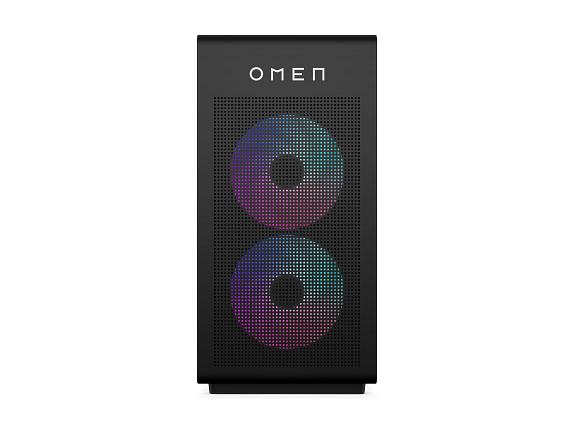
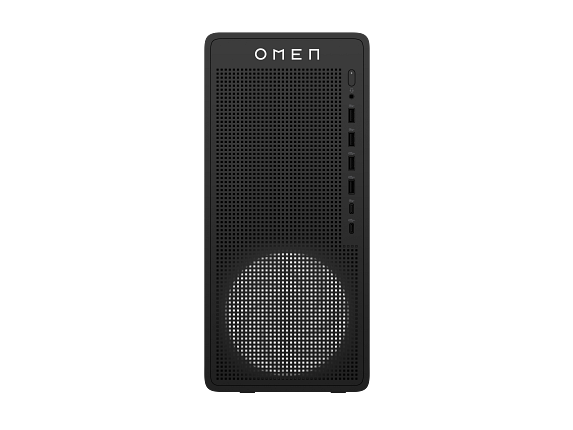
OMEN 16L Gaming Desktop TG03-0055m PC, Windows 11 Home, AMD Ryzen™ 5, 16GB RAM, 512GB SSD, AMD Radeon™ RX 7600, Black

HP

16 GB RAM512 GB StorageAMD Ryzen™ 5 8400F (up to 4.7 GHz max boost clock, 16 MB L3 cache, 6 cores, 12 threads)[6,7]AMD Radeon™ RX 7600 Graphics (8 GB GDDR6 dedicated)
$1,499.99

Price as of Sep 2026

Why it made the list: Reads as the graphics-first configuration more than a star attraction, which is exactly why it is useful alongside the flagships. 512GB of listed storage is workable, though large game or media libraries may need an upgrade. Configuration as listed: AMD Ryzen™ 5 8400F (up to 4.7 GHz max boost clock, 16 MB L3 cache, 6 cores, 12 threads)[6,7], AMD Radeon™ RX 7600 Graphics (8 GB GDDR6 dedicated), 16GB RAM, 512GB storage.

Best gaming configuration

Acer Aspire XC Desktop - XC-1725_BARR-UR15

Acer

32 GB RAM1 TB StorageAMD Ryzen™ 7 7730U processor Octa-core 2 GHzAMD Radeon™ Graphics
$1,099.99

Price as of Sep 2026

Why it made the list: Lower on the page, the argument shifts to the gaming-performance choice and day-to-day practicality. Acer Aspire XC Desktop - XC-1725_BARR-UR15 is not just another row in the table when the most memory here at 32GB is part of the brief.

Best gaming configuration

Acer Nitro 85 Gaming Desktop - N85-600-UR35

Acer

16 GB RAM1 TB StorageIntel® Core™ Ultra 7 processor 265F (up to 5.3 GHz)GeForce RTX™ 5070
$1,999.99

Price as of Sep 2026

Why it made the list: This is not the headline act, but it works cleanly as the graphics-first configuration. Acer Nitro 85 Gaming Desktop - N85-600-UR35 is here for a narrower reason: the most graphics memory here at 12GB of VRAM fits the guide better than another interchangeable spec sheet.

Prices and availability are snapshots taken when we last refreshed this catalog and may change without notice. Confirm the current price, configuration, and stock on the retailer’s or manufacturer’s own product page before buying. Affiliate disclosure.

Want More Control?

Use this guide as the shortlist, then refine by price, CPU, GPU, RAM, storage, form factor, and software requirements inside the full FilterKilter tool.

Open FilterKilter — Full Filtering & Sorting Tool →

Frequently Asked Questions

What should you compare first in this category?

For this kind of gaming, compare the exact CPU/GPU configuration, RAM, storage, operating system, and what is included. Then check chassis size, ports, cooling, warranty, and documented upgrade access.

How much RAM is enough?

16 GB is the practical baseline for sustained multitasking. More matters for large media projects, local virtual machines, data work, and other memory-heavy jobs.

Why does a dedicated GPU matter here?

The workload needs stronger graphics capability, but the GPU model is only part of the configuration. Check VRAM, CPU balance, cooling, power-supply capacity, and storage as well.

Sources and Notes

GeForce desktop graphics cards

NVIDIA. GPU-family context for gaming and GPU-accelerated creative desktop guides. Accessed 2026-05-21.

Steam Hardware and Software Survey

Valve. Market context for common gaming hardware and realistic gaming expectations. Accessed 2026-05-21.

Windows 11 system requirements

Microsoft Support. Baseline Windows hardware requirements used when judging everyday Windows computers. Accessed 2026-05-21.

Microsoft 365 and Office resources

Microsoft Support. Office and Microsoft 365 compatibility context for school, work, and productivity picks. Accessed 2026-05-21.

Zoom system requirements

Zoom Support. Video-meeting requirements used for student, remote-work, and business recommendations. Accessed 2026-05-21.

Browse All Desktop Buying GuidesClick to expand
← Browse all FilterKilter buying guides