Best Desktops of the Year

By the FilterKilter Editorial Team

Updated September 6, 2026

How we rank

This is our general desktop shortlist, ranked on capability against the live catalog rather than for one specific workload. It also serves as our answer to "what should I buy right now": the list reflects desktops currently in our catalog with the prices shown, not a fixed snapshot from earlier in the year; check the listed price and availability before you buy, since both can move between our catalog refreshes.

What to Look For

  • 16 GB of RAM is a reasonable working floor for a general-purpose desktop in 2026; several of the picks below exceed it.
  • Decide your workload before your budget. A desktop bought for browsing and office work does not need the GPU a creative or gaming machine does.
  • This list is not workload-specific; the guidance sections below cover photo editing, graphic design and heavy multitasking specifically, including what to check that the ranking cannot.
  • Check the listed price and stock status on the exact model before you buy; "of the year" describes our current shortlist, not a fixed, un-updated ranking.

Choose for Your Situation

These picks are ranked as general-purpose machines using configuration, price and catalog data. The considerations below are not ranking inputs — they are what to check yourself before buying.

Buying this for photo editing

Photo editing is CPU- and memory-heavy more than GPU-heavy for most workflows, which is part of why this general shortlist and our former photo-editing-specific page returned the same order — the ranking already rewards the RAM and CPU capability that matters here.

  • Color accuracy is what actually distinguishes a photo-editing machine, and our catalog has no field for display calibration or color-gamut coverage — check the monitor separately; the desktop itself only needs to drive it.
  • RAW files and large layered files want RAM headroom — 32 GB is more comfortable than the 16 GB floor if your library is large.
  • A fast NVMe SSD with room to spare matters more than GPU power for most photo workflows; check storage capacity and type directly.

The ranking has no field for color accuracy, display calibration or build quality, so none of this is ranked on — it is what to verify yourself once you have a shortlist.

Buying this for graphic design

Our former graphic-design-specific page shared this page's exact contract — no gate distinguished it, so it was not actually ranking anything for graphic design specifically. This section is what to check that the ranking genuinely does not cover.

  • Color accuracy and gamut coverage are the real requirement for design work, and they are a monitor property our catalog does not record — verify the display separately from the desktop.
  • Vector and layout tools are lighter on hardware than photo or video work; 16 GB of RAM is workable, 32 GB removes any doubt with large multi-layer files.
  • A dedicated GPU is optional for most 2D design software and only worth paying for if you also do 3D or heavy rendering work.

The ranking has no field for color accuracy, display quality or design-software certification, so none of this is ranked on — it is what to verify yourself once you have a shortlist.

Buying this for heavy multitasking

Multitasking is closest to what this general ranking already measures — CPU and memory capability — which is why our former multitasking-specific page returned the identical order.

  • RAM is the single biggest lever for multitasking headroom; if you regularly run many applications at once, look above the 16 GB floor toward 32 GB.
  • Core count matters more than clock speed once you are running several demanding applications simultaneously rather than one.
  • A fast SSD keeps app-switching and background indexing from stalling the rest of the system — check storage type, not just capacity.

The ranking measures RAM, storage and general CPU/GPU capability. It has no field for background-process behavior or real-world multitasking benchmarks, so the order is directional rather than a measured multitasking score.

How We Chose

Best Desktops of the Year is for buyers who want a shorter, data-backed shortlist. The shortlist comes from those requirements against the live catalog; performance, system completeness, expandability, and overall value are what to weigh when you compare what is left.

  • 1Each pick must match the guide brief and have a current displayable price.
  • 2The generator sorts matching desktops by the desktop-general intent score first and applies a per-brand cap so one lineup does not crowd out the page.
  • 3Retailer links and commissions do not affect ranking order.

Our Top Picks

Affiliate disclosure: Links to retailers on this page are affiliate links. If you buy after clicking one, we may earn a commission at no extra cost to you. Commissions do not influence which laptops we rank or in what order. See our full Affiliate Disclosure.

Data & accuracy: Rankings are based on publisher specifications, retailer pricing snapshots, and published system requirements. We do not physically test the products listed, and prices, configurations, and availability change frequently. Always confirm the exact configuration and final price on the retailer’s site before buying. See our full methodology →

Informational only: Content on this site is provided for informational purposes and is not professional, financial, or technical advice. Use your own judgment when making a purchase.

Best balanced configuration

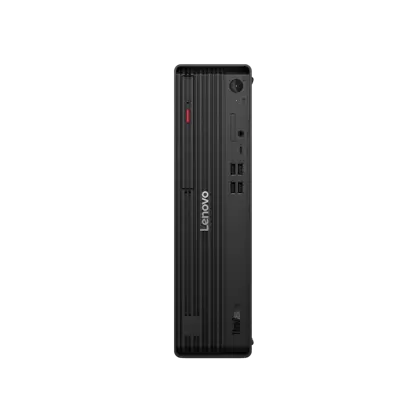
ThinkCentre M90s Gen 6 (Intel) Small Form Factor

Lenovo

32 GB RAM1 TB StorageIntel® Core™ Ultra 7 265 vPro® Processor (E-cores up to 4.60 GHz P-cores up to 5.20 GHz)
$1,561.56

Price as of Jul 2026

Why it made the list: It leads the guide because it slots in as the all-purpose choice. It fits buyers comparing the complete configuration rather than shopping by one processor or graphics label. ThinkCentre M90s Gen 6 (Intel) Small Form Factor is here for a narrower reason: the runner-up on disk space here at 1TB fits the guide better than another interchangeable spec sheet.
Best balanced configuration

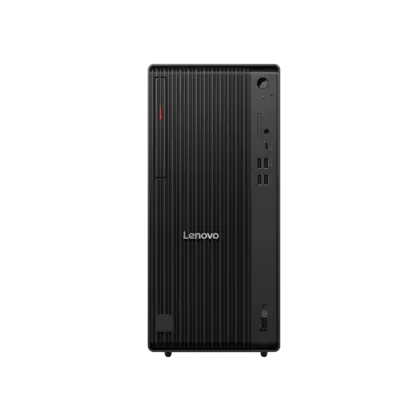
ThinkCentre M90t Gen 6 (Intel) Tower

Lenovo

32 GB RAM1 TB StorageIntel® Core™ Ultra 7 265 vPro® Processor (E-cores up to 4.60 GHz P-cores up to 5.20 GHz)
$1,569.96

Price as of Jul 2026

Why it made the list: It stays in the upper half of the list by being the balanced configuration rather than trying to be everything. It suits broad desktop use with a practical balance of performance, capacity, connectivity, and price. In this part of the ranking, ThinkCentre M90t Gen 6 (Intel) Tower is mainly about the next cheapest pick here at $1,570 rather than broad all-purpose appeal.

Best balanced configuration

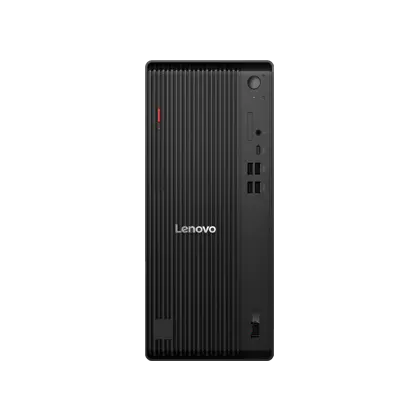
ThinkCentre M70t Gen 6 (Intel) Tower

Lenovo

64 GB RAM1 TB StorageIntel® Core™ Ultra 7 265 vPro® Processor (E-cores up to 4.60 GHz P-cores up to 5.20 GHz)
$1,803.12

Price as of Jul 2026

Why it made the list: This is the all-purpose configuration for a fixed workspace and a mixed workload. 64GB of RAM gives this exact configuration room for heavier multitasking and professional workloads.

Best balanced configuration

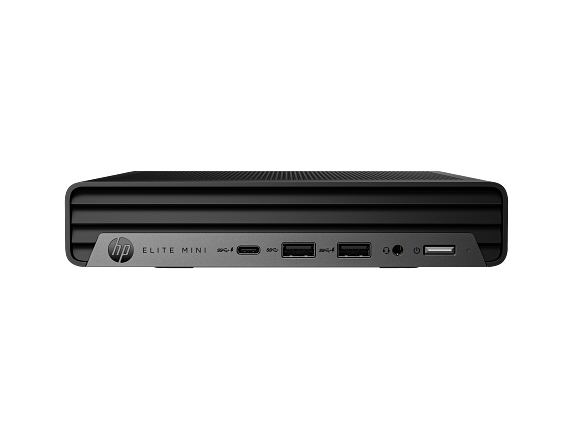
HP Elite Mini 800 G9 Desktop PC with 3 Yr Warranty & Wolf Pro Security

HP

32 GB RAM1 TB StorageIntel® Core™ i7-14700T (up to 5.0 GHz Max Turbo frequency, 33 MB L3 cache, 20 cores, 28 threads)[6,7]
$3,347

Price as of Sep 2026

Why it made the list: Reads as the balanced configuration more than a star attraction, which is exactly why it is useful alongside the flagships. 20 listed CPU cores provide a concrete multitasking signal, though core count alone does not prove sustained speed. What keeps HP Elite Mini 800 G9 Desktop PC with 3 Yr Warranty & Wolf Pro Security relevant here is $3,347 street price plus 32GB memory with 1TB storage, especially if the higher-ranked picks miss that exact need.

Best balanced configuration

HP Elite Mini 800 G9 Desktop PC with 3 Yr Warranty & Wolf Pro Security

HP

32 GB RAM2 TB StorageIntel® Core™ i7-14700T (up to 5.0 GHz Max Turbo frequency, 33 MB L3 cache, 20 cores, 28 threads)[6,7]
$4,115

Price as of Sep 2026

Why it made the list: The remaining unknown is system-level ownership detail: verify the ports, operating system, cooling, warranty, and upgrade access on the exact configuration. Configuration as listed: Intel® Core™ i7-14700T (up to 5.0 GHz Max Turbo frequency, 33 MB L3 cache, 20 cores, 28 threads)[6,7], Intel® UHD Graphics 770, 32GB RAM, 2TB storage.

Best balanced configuration

Dell Tower Plus Desktop PC

Dell

32 GB RAM1 TB StorageIntel® Core™ Ultra 7 265, 20 cores
$1,989.99

Price as of Sep 2026

Why it made the list: Dell Tower Plus Desktop PC gives shoppers a different angle through Intel® Core™ Ultra 7 265, 20 cores plus $1,990 street price, which is enough to separate it from nearby picks.

Best balanced configuration

Apple Mac Studio, M3 Ultra Chip, 28-core CPU, 60-core GPU, 96GB memory, 1TB storage

Apple

96 GB RAM1 TB StorageApple M3 Ultra
$5,299

Price as of Aug 2026

Why it made the list: Lower on the page, the argument shifts to the all-purpose choice and day-to-day practicality. 96GB of RAM is the most memory in this shortlist, useful when projects, virtual machines, or large working sets stay open. 28 CPU cores is the highest listed count here, a meaningful advantage for parallel work when the software can use it. Configuration as listed: Apple M3 Ultra, 96GB RAM, 1TB storage.

Prices and availability are snapshots taken when we last refreshed this catalog and may change without notice. Confirm the current price, configuration, and stock on the retailer’s or manufacturer’s own product page before buying. Affiliate disclosure.

Want More Control?

Filter by workload, price, RAM, storage and GPU in the full FilterKilter tool.

Open FilterKilter — Full Filtering & Sorting Tool →

Frequently Asked Questions

What should you compare first in this category?

For this kind of shopping shortcuts, compare the exact CPU/GPU configuration, RAM, storage, operating system, and what is included. Then check chassis size, ports, cooling, warranty, and documented upgrade access.

How much RAM is enough?

8 GB is an entry floor for basic browsing and office work, while 16 GB gives a general-purpose desktop substantially more breathing room and useful life.

Do you need a dedicated GPU for this desktop?

Integrated graphics is enough for web work, office tasks, schoolwork, and general productivity. A dedicated GPU makes sense for modern games, 3D work, some video workflows, and accelerator-dependent software.

Sources and Notes

Windows 11 system requirements

Microsoft Support. Baseline Windows hardware requirements used when judging everyday Windows computers. Accessed 2026-05-21.

Microsoft 365 and Office resources

Microsoft Support. Office and Microsoft 365 compatibility context for school, work, and productivity picks. Accessed 2026-05-21.

Zoom system requirements

Zoom Support. Video-meeting requirements used for student, remote-work, and business recommendations. Accessed 2026-05-21.

Browse All Desktop Buying GuidesClick to expand
← Browse all FilterKilter buying guides