Best Desktops Under $2,000

By the FilterKilter Editorial Team

Updated September 6, 2026

How we rank

Best Desktops Under $2,000 is really about balancing performance, system completeness, expandability, and overall value. This list leans into under $2,000 so you can compare the desktops that actually fit the brief. Use it as a shortlist, then narrow further inside FilterKilter once you know which tradeoffs matter most to you.

What to Look For

  • Set your budget first and treat under $2,000 as a hard constraint so you do not compare desktops that solve different problems.
  • Compare the exact CPU, GPU, RAM, storage, and operating-system configuration before price because one desktop family name can cover very different systems.
  • Check chassis size, ports, cooling, power-supply headroom, and documented upgrade access before paying extra for cosmetic upgrades.
  • If two desktops look close on paper, use system completeness, connectivity, cooling, warranty, and serviceability to break the tie.

Choose for Your Situation

These picks are ranked as general-purpose machines using configuration, price and catalog data. The considerations below are not ranking inputs — they are what to check yourself before buying.

Shopping with a $2,500 ceiling instead of $2,000

This page absorbed our separate under-$2,500 desktop guide — the two overlapped 8 of 10 picks, and this page carries more measured exposure.

  • Check the price shown on each listing rather than assuming a $2,500 budget unlocks a materially different shortlist — the two lists were close, not identical.
  • The full FilterKilter tool lets you raise the price ceiling directly if a $2,500 budget matters to you specifically.

The ranking is not re-run at a $2,500 ceiling — it is the same $2,000-weighted order, so this section is guidance for reading it at a higher budget rather than a second ranking.

How We Chose

Best Desktops Under $2,000 is for buyers comparing under $2,000. The shortlist comes from those requirements against the live catalog; performance, system completeness, expandability, and overall value are what to weigh when you compare what is left.

  • 1Each pick must match the guide brief: under $2,000.
  • 2The generator sorts matching desktops by ceiling-relative desktop value with the parent intent preserved and applies a per-brand cap so one lineup does not crowd out the page.
  • 3The price ceiling is enforced from the slug and the product data, so an "under $2,000" guide cannot include over-budget picks.
  • 4Retailer links and commissions do not affect ranking order.

Our Top Picks

Affiliate disclosure: Links to retailers on this page are affiliate links. If you buy after clicking one, we may earn a commission at no extra cost to you. Commissions do not influence which laptops we rank or in what order. See our full Affiliate Disclosure.

Data & accuracy: Rankings are based on publisher specifications, retailer pricing snapshots, and published system requirements. We do not physically test the products listed, and prices, configurations, and availability change frequently. Always confirm the exact configuration and final price on the retailer’s site before buying. See our full methodology →

Informational only: Content on this site is provided for informational purposes and is not professional, financial, or technical advice. Use your own judgment when making a purchase.

Best value configuration

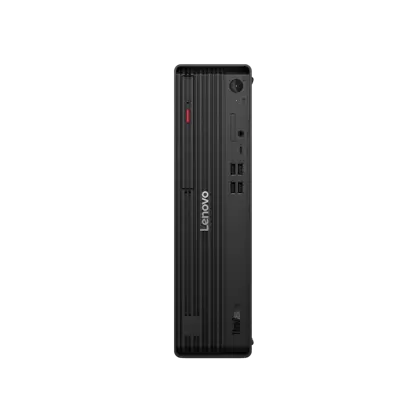
ThinkCentre M90s Gen 6 (Intel) Small Form Factor

Lenovo

32 GB RAM1 TB StorageIntel® Core™ Ultra 7 265 vPro® Processor (E-cores up to 4.60 GHz P-cores up to 5.20 GHz)
$1,561.56

Price as of Jul 2026

Why it made the list: Starts the list off as the cost-and-capability choice, which is the use case most readers of this page are actually trying to solve. This is a value choice based on the whole configuration, not price by itself. ThinkCentre M90s Gen 6 (Intel) Small Form Factor earns a look because the runner-up on RAM here at 32GB changes the buying decision for this particular page.
Best value configuration

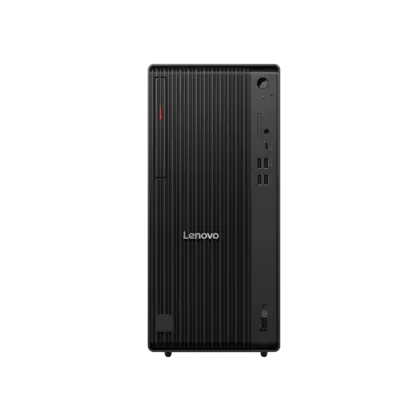
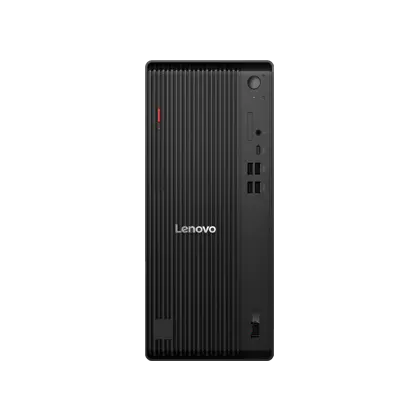
ThinkCentre M90t Gen 6 (Intel) Tower

Lenovo

32 GB RAM1 TB StorageIntel® Core™ Ultra 7 265 vPro® Processor (E-cores up to 4.60 GHz P-cores up to 5.20 GHz)
$1,569.96

Price as of Jul 2026

Why it made the list: Its edge over nearby picks is that it functions as the cost-and-capability choice. It suits buyers who want useful performance per dollar without hiding missing components behind a cheap base price. The case for ThinkCentre M90t Gen 6 (Intel) Tower starts with the runner-up on disk space here at 1TB; that is the detail most likely to matter after the headline specs.

Best value configuration

ThinkCentre M70t Gen 6 (Intel) Tower

Lenovo

64 GB RAM1 TB StorageIntel® Core™ Ultra 7 265 vPro® Processor (E-cores up to 4.60 GHz P-cores up to 5.20 GHz)
$1,803.12

Price as of Jul 2026

Why it made the list: It fits a fixed budget where complete-system scope and a balanced configuration matter more than the lowest sticker alone. The useful distinction on ThinkCentre M70t Gen 6 (Intel) Tower is the most memory here at 64GB, which keeps it from reading like filler.

Best value configuration

Dell Tower Plus Desktop PC

Dell

32 GB RAM1 TB StorageIntel® Core™ Ultra 7 265, 20 cores
$1,989.99

Price as of Sep 2026

Why it made the list: 32GB of RAM gives this exact configuration room for heavier multitasking and professional workloads. 1TB of listed storage is a useful working capacity before external storage becomes urgent. The remaining unknown is system-level ownership detail: verify the ports, operating system, cooling, warranty, and upgrade access on the exact configuration.

Best value configuration

Dell Tower Plus Desktop PC

Dell

16 GB RAM1 TB StorageIntel® Core™ Ultra 7 265, 20 cores
$1,399.99

Price as of Sep 2026

Why it made the list: This is not the headline act, but it works cleanly as the cost-and-capability choice. In this part of the ranking, Dell Tower Plus Desktop PC is mainly about $1,400 street price plus Intel® Core™ Ultra 7 265, 20 cores rather than broad all-purpose appeal.

Best value configuration

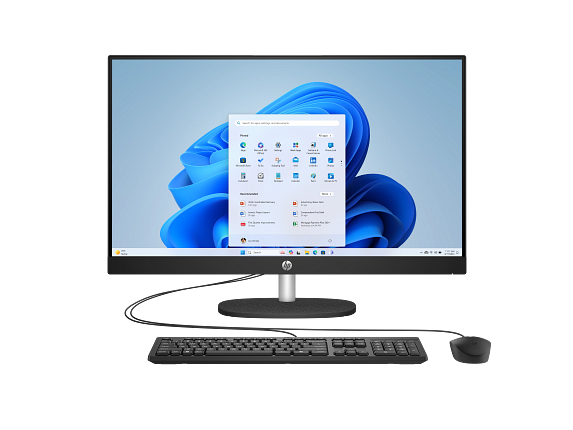
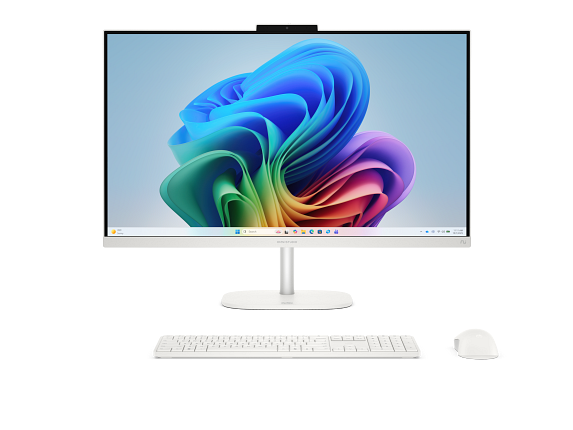
HP All-in-One Desktop AI 27-cr2075t PC, Windows 11 Home, 27", Touch screen, Intel® Core™ Ultra 7, 16GB RAM, 1TB SSD, FHD, Jet black

HP

16 GB RAM1 TB StorageIntel® Core™ Ultra 7 255U (up to 5.2 GHz with Intel® Turbo Boost Technology, 12 MB L3 cache, 12 cores, 14 threads)[6,7]27"
$1,779.99

Price as of Sep 2026

Why it made the list: It rounds out the lineup as the value-balanced configuration, which is a lane the top picks do not fully claim. Configuration as listed: Intel® Core™ Ultra 7 255U (up to 5.2 GHz with Intel® Turbo Boost Technology, 12 MB L3 cache, 12 cores, 14 threads)[6,7], Intel® UHD Graphics, 16GB RAM, 1TB storage.

Best value configuration

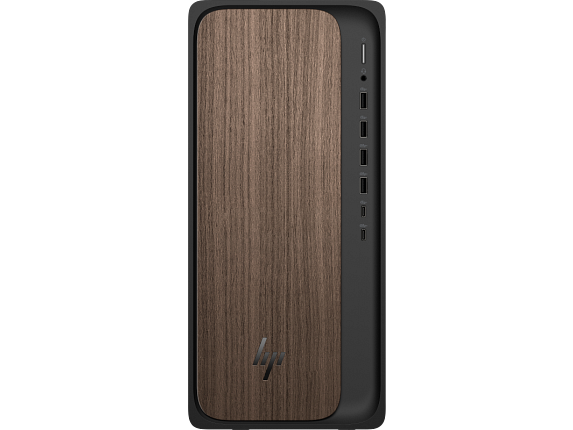
HP OmniDesk Desktop AI M03-0155t PC, Windows 11 Home, Intel® Core™ Ultra 5, 16GB RAM, 1TB SSD, Dark wood

HP

16 GB RAM1 TB StorageIntel® Core™ Ultra 5 225 (up to 4.9 GHz with Intel® Turbo Boost Technology, 20 MB L3 cache, 10 cores, 10 threads)[6,7]
$1,349.99

Price as of Sep 2026

Why it made the list: Its case on this list is that it works as the cost-and-capability choice. the least memory here at 16GB is the reason HP OmniDesk Desktop AI M03-0155t PC stays in the conversation for this guide.

Prices and availability are snapshots taken when we last refreshed this catalog and may change without notice. Confirm the current price, configuration, and stock on the retailer’s or manufacturer’s own product page before buying. Affiliate disclosure.

Want More Control?

Use this guide as the shortlist, then refine by price, CPU, GPU, RAM, storage, form factor, and software requirements inside the full FilterKilter tool.

Open FilterKilter — Full Filtering & Sorting Tool →

Frequently Asked Questions

What should you compare first in this category?

For this kind of shopping shortcuts, compare the exact CPU/GPU configuration, RAM, storage, operating system, and what is included. Then check chassis size, ports, cooling, warranty, and documented upgrade access.

How much RAM is enough?

8 GB is an entry floor for basic browsing and office work, while 16 GB gives a general-purpose desktop substantially more breathing room and useful life.

Do you need a dedicated GPU for this desktop?

Integrated graphics is enough for web work, office tasks, schoolwork, and general productivity. A dedicated GPU makes sense for modern games, 3D work, some video workflows, and accelerator-dependent software.

Sources and Notes

Windows 11 system requirements

Microsoft Support. Baseline Windows hardware requirements used when judging everyday Windows computers. Accessed 2026-05-21.

Microsoft 365 and Office resources

Microsoft Support. Office and Microsoft 365 compatibility context for school, work, and productivity picks. Accessed 2026-05-21.

Zoom system requirements

Zoom Support. Video-meeting requirements used for student, remote-work, and business recommendations. Accessed 2026-05-21.

Browse All Desktop Buying GuidesClick to expand
← Browse all FilterKilter buying guides