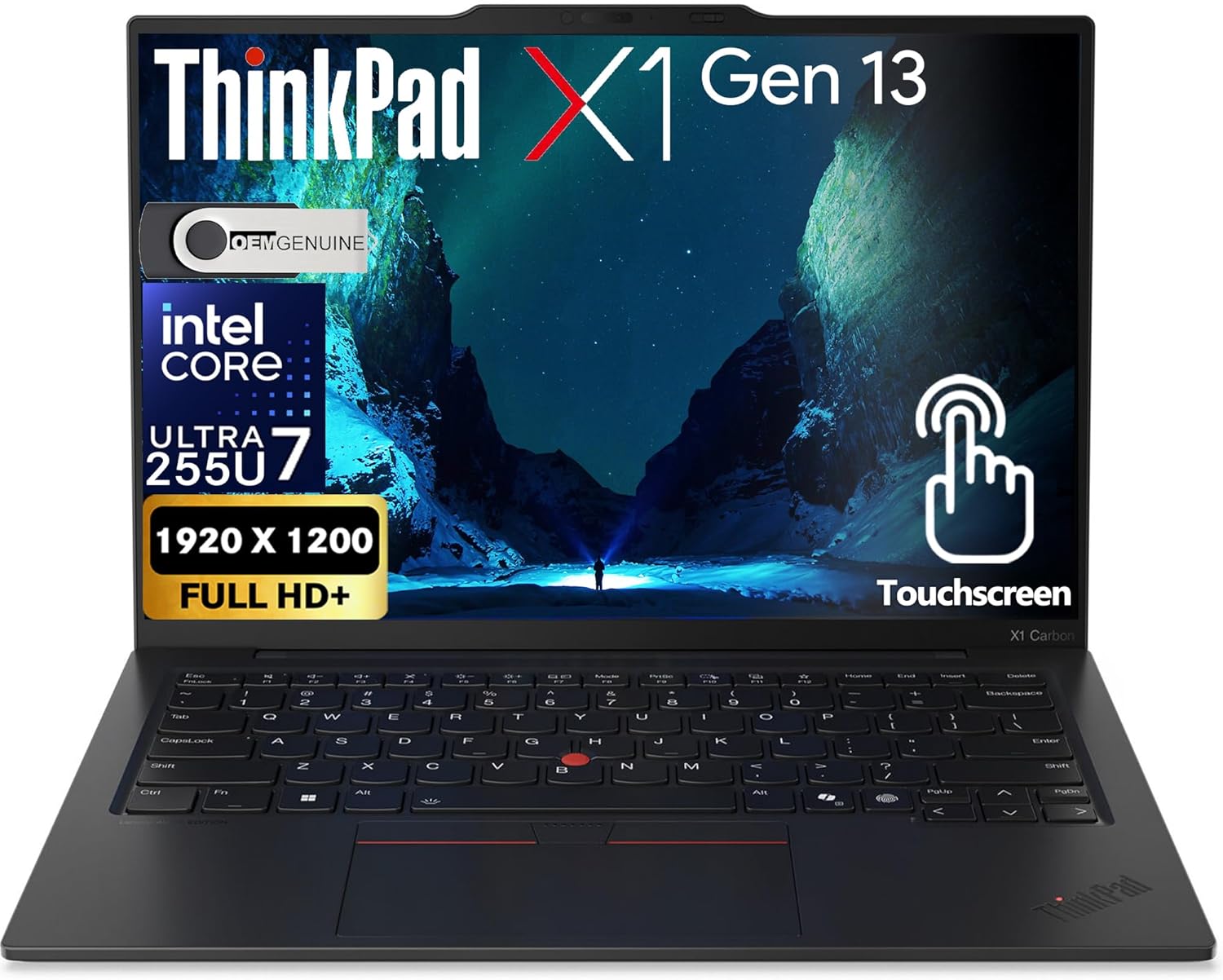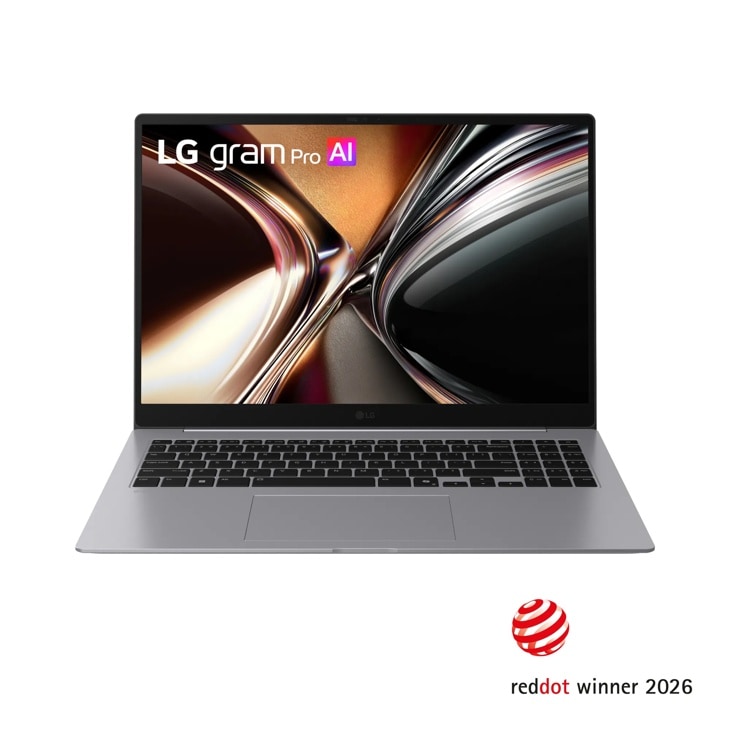
Best Business Laptops

By the FilterKilter Editorial Team

Updated September 5, 2026

How we rank

A business laptop is bought for years of daily use, often for someone else, and usually against a budget somebody has to sign off. This list covers machines under $2,000 with 16 GB of RAM or more and 512 GB of storage or more, ranked on capability against price. That makes it a shortlist of technically capable candidates; not a verdict on which is most reliable, most secure or best built, because those are not things we can measure. The checklist below covers what you have to check yourself before ordering.

What to Look For

  • 16 GB of RAM is the working floor for a business machine: several Office applications, a browser full of tabs, a video call and a reporting tool at the same time.
  • 512 GB of storage is the practical minimum once the operating system, the application suite and a few years of local files share the drive.
  • Decide the price ceiling before the specification. This list runs to $2,000; the $700 and $1,500 guides answer the same question with a tighter budget.
  • Integrated graphics is almost always right for business work. A dedicated GPU is worth paying for only if you visualise very large datasets or build presentations with heavy 3D elements.
  • Everything that actually distinguishes a business machine from a consumer one; support terms, manageability, security hardware, keyboard, repairability; is in the checklist below, because we cannot rank on any of it.

Choose for Your Situation

These picks are ranked as general-purpose machines using configuration, price and catalog data. The considerations below are not ranking inputs — they are what to check yourself before buying.

Buying for a small business or a small team

Buying two or ten machines is the same purchase as buying one, made harder by having to live with the decision across people who did not make it. The specification question does not change; the questions around it do.

  • Standardise on one model where you can. Shared spares, one set of drivers and one support relationship are worth more than getting each person a slightly better machine.
  • Buy the memory up front. Many current machines solder it, and the cost of replacing an under-specified fleet in two years dwarfs the upgrade price today.
  • Check whether the manufacturer offers a business or volume channel before ordering at retail — the price and the warranty terms are often different for the same machine.
  • Match the price ceiling to the role rather than the person. The $700 and $1,500 guides in this family cover the tighter budgets directly.

Nothing in our catalog records volume pricing, deployment tooling or fleet management, so none of this is ranked on. The list is the same shortlist a single buyer would get; this section is the part the ranking cannot help with.

What you have to check before ordering

These are the attributes that genuinely separate business machines from consumer ones, and we hold data on none of them. Treat this as the second half of the decision rather than as background reading.

  • Warranty and support: length, whether it is on-site or return-to-depot, and next-business-day response. This varies more between two machines than most specifications do.
  • Manageability: whether your IT arrangement needs remote management, and whether the machine and its processor tier support it.
  • Security hardware: TPM, a fingerprint reader or IR camera, and a privacy shutter, if any of those are required where you work.
  • Keyboard: type on it if you can. It is the part of a business machine people complain about for years and the part no specification sheet captures.
  • Repairability and service life: whether memory and storage can be replaced, and how long the manufacturer supplies parts.

The ranking uses price, RAM, storage and general capability. It has no field for warranty, support terms, manageability, security hardware, keyboard quality, repairability or durability, so the order below is not evidence about any of them.

Buying for consulting and client-facing travel

A consultant carries this machine between client sites, meetings and a home office, often in the same week. The list above is the same general shortlist everyone else on this page sees; these are the specifics worth checking when travel and client-facing time are what decide the purchase.

  • Weigh the laptop with its charger, not just the number on the spec sheet — a light body with an oversized power brick still weighs down a bag carried between client sites all day.
  • Battery life matters more here than on a desk-bound purchase. Where a published runtime figure is missing, some picks above qualify instead through a 55+ Wh battery paired with integrated graphics — a reasonable stand-in for finding candidates, not a manufacturer claim, so check the specific model's published rating before you buy.
  • For video calls and presentations, confirm the webcam resolution and whether the laptop drives an external display or projector over a single cable — port selection varies more between these machines than the spec sheet suggests.
  • Security, warranty and support terms are exactly what a client engagement can require and exactly what our catalog cannot verify — confirm on-site or next-business-day support and any client-mandated security hardware (TPM, fingerprint reader) directly with the manufacturer before you buy.
  • If a hard weight or battery-life cutoff matters more than staying on this general list, best-consultant-laptops-under-1500 and its $2,000 sibling gate on both directly.

The ranking above has no field for client-travel frequency, presentation use or contract-mandated security requirements, so none of this is ranked on — it is what to verify yourself once you have a shortlist.

How We Chose

Best Business Laptops is for buyers comparing under $2,000, 16 GB of RAM or more, and 512 GB of storage or more. The shortlist comes from those requirements against the live catalog; price, performance, and how much headroom you get for the money are what to weigh when you compare what is left.

  • 1Each pick must match the guide brief: under $2,000, 16 GB of RAM or more, and 512 GB of storage or more.
  • 2The generator sorts matching laptops by ceiling-relative laptop value with the parent intent preserved and applies a per-brand cap so one lineup does not crowd out the page.
  • 3The price ceiling is enforced from the slug and the product data, so an "under $2,000" guide cannot include over-budget picks.
  • 4RAM and SSD capacity are treated as practical ownership factors, not just spec-sheet decoration.
  • 5Retailer links and commissions do not affect ranking order.

Our Top Picks

Affiliate disclosure: Links to retailers on this page are affiliate links. If you buy after clicking one, we may earn a commission at no extra cost to you. Commissions do not influence which laptops we rank or in what order. See our full Affiliate Disclosure.

Data & accuracy: Rankings are based on publisher specifications, retailer pricing snapshots, and published system requirements. We do not physically test the products listed, and prices, configurations, and availability change frequently. Always confirm the exact configuration and final price on the retailer’s site before buying. See our full methodology →

Informational only: Content on this site is provided for informational purposes and is not professional, financial, or technical advice. Use your own judgment when making a purchase.

Best all-around workday pick

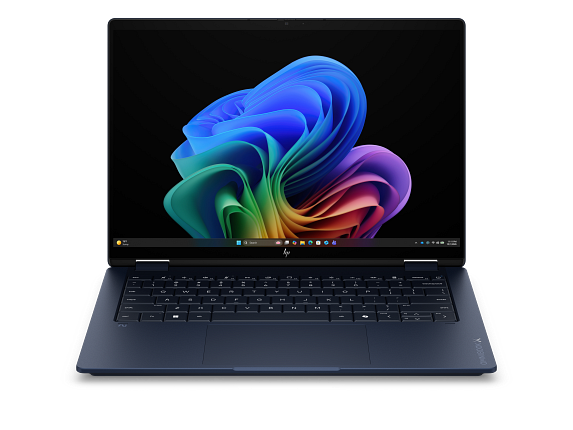
HP OmniBook X Flip 2-in-1 Laptop Next Gen AI 14, Windows 11 Home, 14", Touch screen, Intel® Core™ Ultra 7, 32GB RAM, 1TB SSD, 3K, Atmospheric blue, 2 year warranty

HP

32 GB RAM1 TB StorageIntel® Core™ Ultra 7 356H (up to 4.7 GHz with Intel® Turbo Boost Technology, 18 MB L3 cache, 16 cores, 16 threads)[6,7]14"23.5 hr battery
$1,599.99

Price as of Sep 2026

Why it made the list: It earns its place for people whose workload is mostly docs, decks, and meetings, with the occasional screenshare. 32GB of memory gives it more simultaneous-app headroom than the average pick on this page, which matters once the workload gets heavier than browser-plus-docs. A 1TB SSD gives it more breathing room than the 256GB-512GB drives common at this tier, especially once apps, project files, or games pile up.

Best battery-first pick

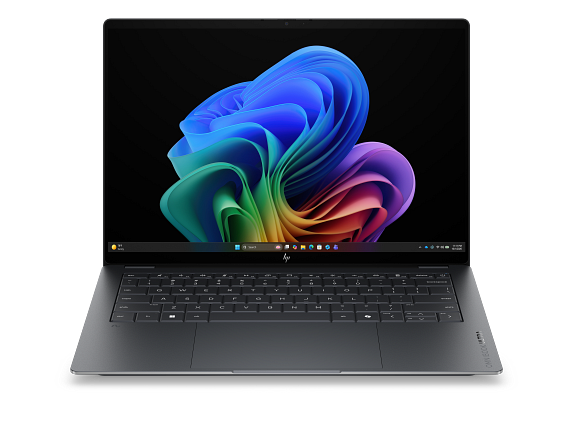
HP OmniBook X Laptop Next Gen AI 14, Windows 11 Home, 14", Touch screen, Intel® Core™ Ultra 7, 16GB RAM, 1TB SSD, 3K, Glacier silver

HP

16 GB RAM1 TB StorageIntel® Core™ Ultra 7 356H (up to 4.7 GHz with Intel® Turbo Boost Technology, 18 MB L3 cache, 16 cores, 16 threads)[6,7]14"20 hr battery
$1,299.99

Price as of Sep 2026

Why it made the list: What keeps it near the top is that it fills the role of the take-anywhere option. It fits the kind of workday where keyboard comfort, calls, files, and browser tabs matter more than headline benchmarks. Rated around 20 hours of battery, it has enough headroom for long class stretches, coffee-shop work, or a full flight without hunting for an outlet. With 16GB onboard, it has the multitasking cushion that many cheaper 8GB configurations lack.

Best for daily carry

ASUS Vivobook M5406WA 32GB RAM 1TB SSD

ASUS

32 GB RAM1 TB StorageAMD Ryzen™ AI 9 HX 370 Processor 2.0GHz (36MB Cache, up to 5.1GHz, 12 cores, 24 Threads); AMD XDNA™ NPU up to 50TOPS AMD Ryzen™ AI 9 365 Processor 2.0GHz (34MB Cache, up to 5.0GHz, 10 cores, 20 Threads); AMD XDNA™ NPU up to 50TOPS
$899.99

Price as of Jun 2026

Why it made the list: The natural buyer is someone who wants a dependable office machine first and a spec showcase second. AMD Ryzen AI 9 HX 370 also carries a 50 TOPS NPU, useful context for Copilot+ features if local AI tools matter to the buyer. ASUS Vivobook M5406WA is here for a narrower reason: the runner-up on RAM here at 32GB fits the guide better than another interchangeable spec sheet.

Best for split-screen work

ASUS Vivobook M5606WA 32GB RAM 1TB SSD

ASUS

32 GB RAM1 TB StorageAMD Ryzen™ AI 9 365 Processor 2.0GHz (34MB Cache, up to 5.0GHz, 10 cores, 20 Threads); AMD XDNA™ NPU up to 50TOPS16"
$999.99

Price as of Jun 2026

Why it made the list: It is built around predictable productivity rather than specialized creative or gaming performance. Skip it if you need one obvious headline spec. That is the catch. Compare closely. ASUS Vivobook M5606WA keeps the fourth slot because the largest screen here at 16 inches gives this listing a specific job in the lineup.

Well-rounded pick

Dell 14 Plus Laptop - 14 Inch Laptop

Dell

32 GB RAM1 TB StorageIntel® Core™ Ultra 7 258V (47 TOPS NPU, 8 cores, up to 4.8 GHz)14"
$1,089.99

Price as of Sep 2026

Why it made the list: It earns its slot by covering the role of a sensible fallback pick. It suits meeting-heavy, document-heavy days better than the more niche gaming or creator picks on the page. At 3.4 pounds it lands in honest backpack territory. It is not the featherweight of the group, but nothing you will dread carrying either. This is the pick to compare carefully against the one above it: $1,090 street price is the detail that changes the buying logic, not a vague sense that pricier must be better.

Samsung 2024 Laptop7

Image: Amazon · Affiliate link

Best for split-screen work

SAMSUNG 2024 Laptop | Galaxy-Book4 | 15.6" 1920 x 1080 IPS | Intel Core 7 150U 10-Core | 16GB LPDDR4 | 512GB SSD |…

Samsung

16 GB RAM512 GB StorageIntel Core 7 150U15.6"15 hr battery
$689.99

Price as of Jun 2026

Why it made the list: It rounds out the lineup as the spacious-screen alternative, which is a lane the top picks do not fully claim. A 15.6" panel nudges it toward desk-friendly productivity rather than the always-in-your-bag school laptop. At $689.99 it anchors the low end of the list, which is the whole reason this pick exists here. The low sticker is the whole point, so think practical everyday adequacy rather than premium materials or surplus performance.

Lenovo IdeaPad Laptop 2025 Business Computer8

Image: Amazon · Affiliate link

Best for split-screen work

Lenovo IdeaPad Laptop 2025 Business Computer, 15.6" FHD Touchscreen, 24GB RAM, 1.5TB Storage (1TB SSD +500GB Ext)…

Lenovo

24 GB RAM1.5 TB StorageIntel Core i5-1235U15.6"11 hr battery
$819

Price as of Jun 2026

Why it made the list: Reads as the multitasking-screen pick more than a star attraction, which is exactly why it is useful alongside the flagships. Having 16GB of RAM keeps this from feeling like a short-life budget spec once multitasking gets messy. The 3.6-pound carry weight keeps it in practical everyday-bag range rather than pushing it toward desk-only duty. Skip it if a smaller, lighter machine would solve the same job. That is the catch. Compare closely.

Dell 16 Laptop DC16256-16.0-inch 16:10 2K Touchscreen Display9

Image: Amazon · Affiliate link

Best for split-screen work

Dell 16 Laptop DC16256-16.0-inch 16:10 2K Touchscreen Display, AMD Ryzen AI 7 350 Processor, Radeon Graphics, 32GB…

Dell

32 GB RAM1 TB StorageAMD Ryzen 7 35016"
$899

Price as of Jun 2026

Why it made the list: The 16" screen gives it more working area than the 13-14" crowd, at the cost of being slightly more of an event to carry. The 1TB drive is useful margin for buyers who keep media, course files, local projects, or a game library on the machine. For the ninth pick, Dell 16 Laptop DC16256-16.0-inch 16:10 2K Touchscreen Display leans on the heaviest here at 4.2 pounds instead of a generic value argument.

Best for daily carry

Acer Swift Edge 14 AI Laptop - SFE14-51T-75PZ

Acer

32 GB RAM1 TB StorageIntel® ARC™ 140V GPU shared memory14"21 hr battery
$1,499.99

Price as of Jun 2026

Why it made the list: Lower on the page, the argument shifts to the bag-friendly portability pick and day-to-day practicality. At 2.2 pounds, it is one of the easiest machines on this page to carry from a morning class to a late library session without thinking about it. At 14" the screen is compact, which keeps the chassis small enough to live in a backpack without feeling like homework. At this price you are buying real margin over the entry-level picks. Nice, but overkill if your workload actually fits on a mid-list machine. The reason to keep it on the shortlist is narrow but real: the smallest screen here at 14 inches gives it a specific lane when the surrounding picks start to blur together. The configuration to notice is Intel® ARC™ 140V GPU shared memory, 32GB RAM, 1TB SSD, which gives this specific pick its place at #10.

Prices and availability are snapshots taken when we last refreshed this catalog and may change without notice. Confirm the current price, configuration, and stock on the retailer’s or manufacturer’s own product page before buying. Affiliate disclosure.

Want More Control?

Narrow your search by price, weight, RAM and the business software you use in the full FilterKilter tool.

Open FilterKilter — Full Filtering & Sorting Tool →

Frequently Asked Questions

What makes a laptop a "business" laptop?

In the industry the term usually means enterprise security hardware, manageability, a durable build, a good keyboard and a support contract; think ThinkPad, EliteBook and Latitude. Be aware that on this page it means something narrower: under $2,000, 16 GB of RAM or more, 512 GB of storage or more, ranked on capability against price. Use the checklist above for the rest.

Are these picks more reliable or more secure than others?

We cannot say that, and we would rather be direct about it. We hold no data on failure rates, service life, security hardware or support terms, so nothing here is selected or ordered on any of them. This is a shortlist of technically capable machines to evaluate, not a reliability ranking.

Do I need a dedicated GPU for business use?

Usually not. Integrated graphics handles Office, video calls and even Power BI. A dedicated GPU is only needed if you visualise very large datasets or build presentations with heavy 3D elements.

Is 8 GB of RAM enough for business?

8 GB works for light use, but 16 GB is the better choice; and the floor on this list; if you run several applications, keep dozens of browser tabs open, or use tools like Power BI alongside your daily apps.

Sources and Notes

Zoom system requirements

Zoom Video Communications. Official Zoom Video Communications requirements for Zoom; the recommended tier calls for 8 GB RAM and 4 CPU cores, informing this guide's memory and processor thresholds. Accessed 2026-06-08.

Adobe Acrobat Pro system requirements

Adobe. Official Adobe requirements for Adobe Acrobat Pro; the recommended tier calls for 4 GB RAM and 4 CPU cores, informing this guide's memory and processor thresholds. Accessed 2026-06-08.

QuickBooks Desktop system requirements

Intuit. Official Intuit requirements for QuickBooks Desktop; the recommended tier calls for 16 GB RAM and 4 CPU cores, informing this guide's memory and processor thresholds. Accessed 2026-06-08.

Microsoft 365 and Office resources

Microsoft Support. Office and Microsoft 365 compatibility context for school, work, and productivity picks. Accessed 2026-05-21.

Microsoft Teams client hardware requirements

Microsoft Learn. Meeting and collaboration requirements for remote work and business guides. Accessed 2026-05-21.

Windows 11 system requirements

Microsoft Support. Baseline Windows hardware requirements used when judging everyday Windows computers. Accessed 2026-05-21.

Check Exact Software Requirements

FilterKilter scores every laptop in its catalog against official publisher system requirements. Open any title below for its minimum, recommended, and optimal specs — plus a live list of laptops that meet them.

Browse all software system requirements →

Browse All Laptop Buying GuidesClick to expand
← Browse all FilterKilter buying guides