Best Laptops for Machine Learning

By the FilterKilter Editorial Team

Updated September 18, 2026

How we rank

Best Laptops for Machine Learning is really about balancing GPU headroom, sustained performance, and enough memory for demanding workloads. This list leans into 32 GB of RAM or more, 1 TB of storage or more, 8+ CPU cores, a dedicated GPU, and 15" and larger displays so you can compare the laptops that actually fit the brief. Use it as a shortlist, then narrow further inside FilterKilter once you know which tradeoffs matter most to you.

What to Look For

  • ✓Aim for at least 32 GB of RAM here so the laptop still feels comfortable once you add browser tabs, meetings, and background apps.
  • ✓Storage fills up faster than buyers expect, so treat 1 TB as a practical floor once apps, media, SDKs, or project files start to accumulate.
  • ✓If this category leans on sustained work, 8+ CPU cores is a useful baseline because burst performance alone does not show how the laptop behaves under a long load.
  • ✓A dedicated GPU is part of the value equation in this category, but cooling and sustained performance matter just as much as the chip name on the spec sheet.
  • ✓Screen size changes the entire feel of a laptop, so use 15" and larger displays as a starting point and then compare panel quality, thermals, and desk footprint.

Choose for Your Situation

These picks are ranked as general-purpose machines using configuration, price and catalog data. The considerations below are not ranking inputs; they are what to check yourself before buying.

Analysing data rather than training models

This page absorbed our data-science guides. They are not the same job: training a model is bound by the graphics card, while most data analysis; pandas, R, SQL, notebooks; is bound by memory and cores and never touches the GPU. This page requires a dedicated card with 16 GB of video memory, which is a floor a data-science buyer does not need and should not pay for.

  • •If your work is analysis rather than training, ignore this page's graphics requirement and buy memory instead. 32 GB is the floor and 64 GB is what large in-memory datasets actually want.
  • •Set a 32 GB memory minimum and drop the dedicated-GPU filter in the full tool to see the machines this page excludes; it is a materially larger list and usually a cheaper one.
  • •If you train locally even occasionally, video memory is the constraint that decides what fits: 16 GB is this page's floor and is a reasonable one, and CUDA support is effectively mandatory for the common frameworks.
  • •Consider whether you need to train locally at all. Renting a GPU by the hour is often cheaper than the premium a 16 GB mobile card adds to a laptop you will own for years.

We hold no field for framework, CUDA version or toolchain support, so nothing here is ranked on what you can actually run. This page is the stricter of the two intents it now covers: it requires a dedicated card and 16 GB of video memory, and the data-science pages it absorbed required neither.

How We Chose

Best Laptops for Machine Learning is for buyers comparing 32 GB of RAM or more, 1 TB of storage or more, and 8+ CPU cores. The shortlist comes from those requirements against the live catalog; GPU headroom, sustained performance, and enough memory for demanding workloads are what to weigh when you compare what is left.

  • 1Each pick must match the guide brief: 32 GB of RAM or more, 1 TB of storage or more, 8+ CPU cores, a dedicated GPU, and 15" and larger displays.
  • 2The generator sorts matching laptops by the laptop-compute intent score first and applies a per-brand cap so one lineup does not crowd out the page.
  • 3Dedicated-GPU picks are judged on graphics capability, memory, cooling headroom, display quality, and price.
  • 4RAM and SSD capacity are treated as practical ownership factors, not just spec-sheet decoration.
  • 5Retailer links and commissions do not affect ranking order.

Our Top Picks

Affiliate disclosure: Links to retailers on this page are affiliate links. If you buy after clicking one, we may earn a commission at no extra cost to you. Commissions do not influence which laptops we rank or in what order. See our full Affiliate Disclosure.

Data & accuracy: Rankings are based on publisher specifications, retailer pricing snapshots, and published system requirements. We do not physically test the products listed, and prices, configurations, and availability change frequently. Always confirm the exact configuration and final price on the retailer’s site before buying. See our full methodology →

Informational only: Content on this site is provided for informational purposes and is not professional, financial, or technical advice. Use your own judgment when making a purchase.

Best for daily carry

Alienware 18 Area-51 Gaming Laptop

Dell

64 GB RAM2 TB StorageIntel® Core Ultra 9 processor 275HX (24-Core, 36MB Total Cache, 2.7GHz to 5.4GHz)NVIDIA® GeForce RTX™ 5090 24 GB GDDR718"
$4,999.99

Price last checked Sep 18, 2026

Why it made the list: It belongs here because it keeps the everyday tradeoffs reasonably even. It tips the scale at 9.6 pounds, which is the price you pay for a proper keyboard deck and room for the components inside. At $4,999.99 it is priced like a step-up pick, not a bare-minimum buy. That is partly why it shows up in a different role than the cheaper entries here. The bigger screen is useful, but it is also a reminder that this is more of a desk-friendly machine than a toss-it-in-any-bag pick.

Best for higher frame rates

Rog Strix G18 2025

ASUS

64 GB RAM2 TB StorageIntel ® Core™ Ultra 9 Processor 275HX 2.7 GHz (36MB Cache, up to 5.4 GHz, 24 cores, 24 Threads); Intel ® AI Boost NPU up to 13TOPSNVIDIA ® GeForce RTX™ 5080 Laptop GPU ROG Boost: 1550MHz* at 175W (1500MHz Boost Clock+50MHz OC, 150W+25W Dynamic Boost) 16GB GDDR718"
$2,499.99

Price last checked Sep 18, 2026

Why it made the list: What keeps it near the top is that it fills the role of a gaming-line pick with cooling in its favor. It fits buyers who measure "good laptop" partly by how little they notice it in a bag. Running 18" of screen makes multitasking less cramped, which is usually what people actually notice day to day. The flip side is straightforward: you are paying for polish and headroom here, not just checking the minimum boxes for the category.

Best for split-screen work

ASUS G815LR-IS96 64GB RAM 1TB SSD

ASUS

64 GB RAM2 TB StorageIntel ® Core™ Ultra 9 Processor 275HX 2.7 GHz (36MB Cache, up to 5.4 GHz, 24 cores, 24 Threads); Intel ® AI Boost NPU up to 13TOPSNVIDIA ® GeForce RTX™ 5080 Laptop GPU ROG Boost: 1550MHz* at 175W (1500MHz Boost Clock+50MHz OC, 150W+25W Dynamic Boost) 16GB GDDR718"
$2,499.99

Price last checked Sep 18, 2026

Why it made the list: Think of it as the multitasking-screen pick. That is the niche it actually earns its place in. The fit is a buyer who wants fewer surprises rather than one standout feature. 64GB of memory gives it more simultaneous-app headroom than the average pick on this page, which matters once the workload gets heavier than browser-plus-docs. At this price you are buying real margin over the entry-level picks. Nice, but overkill if your workload actually fits on a mid-list machine.

Alienware 18 Area-51 Gaming Laptop4

Image: Amazon · Affiliate link

Best all-around workday pick

Alienware 18 Area-51 Gaming Laptop, NVIDIA RTX 5080 16GB GDDR7, Intel Ultra 9 275HX 5.4GHz, 18" WQXGA 300Hz 2.5K…

Alienware

64 GB RAM4 TB StorageIntel Ultra 9 275HXNVIDIA GeForce RTX 508018"
$4,799.99

Price last checked Jun 15, 2026; verify before buying

Why it made the list: It earns its place by covering a broader everyday workload instead of solving only one narrow niche. The faster 300Hz screen gives it a smoother feel than basic productivity laptops, even outside games. A 18" panel nudges it toward desk-friendly productivity rather than the always-in-your-bag school laptop. Skip it if the lowest possible price matters most. That is the catch. Compare closely.

Best for bigger ChromeOS workflows

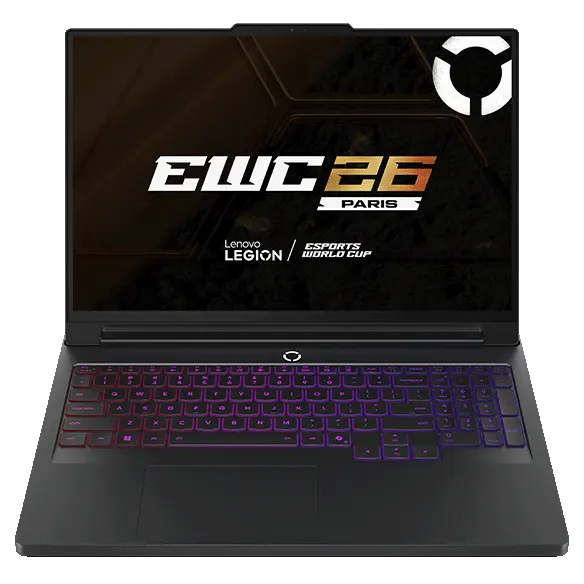
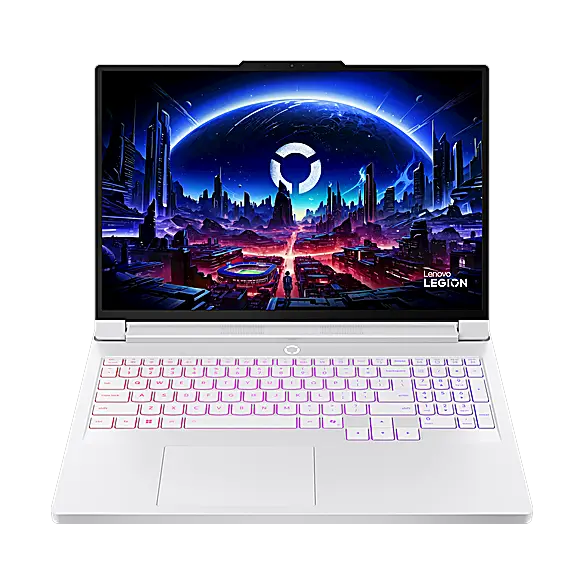
Legion Pro 7i Gen 10 Intel (16") with RTX™ 5080

Lenovo

32 GB RAM2 TB StorageIntel® Core™ Ultra 9 275HX Processor (E-cores up to 4.60 GHz P-cores up to 5.40 GHz)NVIDIA® GeForce RTX™ 5080 Laptop GPU 16GB GDDR716"
$3,799.99

Price last checked Sep 18, 2026

Why it made the list: The right reader is anyone who wants a capable all-rounder rather than a laptop optimized for a single task. Storage is one of its quieter strengths: 2TB gives the configuration room to age without immediate cleanup chores. The reason to keep it on the shortlist is narrow but real: 16" screen size gives it a specific lane when the surrounding picks start to blur together.

Best for higher frame rates

Alienware 16 Area-51 Gaming Laptop

Dell

32 GB RAM2 TB StorageIntel® Core Ultra 9 processor 275HX (24-Core, 36MB Total Cache, 2.7GHz to 5.4GHz)NVIDIA® GeForce RTX™ 5080 16 GB GDDR716"
$3,899.99

Price last checked Sep 18, 2026

Why it made the list: It fits buyers who need a balanced machine more than a specialist for one workload. A dedicated NVIDIA® GeForce RTX™ 5080 16 GB GDDR7 raises the ceiling above the productivity-first picks nearby for the occasional heavy task. $3,899.99 puts it in upgrade territory, and the spec sheet actually reflects it rather than just charging for the badge. What separates this SKU is the mix of a Core i9 / Ultra 9 processor, NVIDIA® GeForce RTX™ 5080 16 GB GDDR7, 32GB RAM, which is why it has a distinct role here.

Best for daily carry

Acer Predator Helios 18 AI Gaming Laptop - PH18-73-98GC

Acer

64 GB RAM2 TB StorageIntel® Core™ Ultra 9 275HX processor Tetracosa-core (24 Core™) 2.70 GHzGeForce RTX™ 508018"
$3,199.99

Price last checked Aug 10, 2026; verify before buying

Why it made the list: The point is everyday breadth: enough performance, enough portability, and few glaring gaps. 2TB of storage changes the ownership math because you are less likely to start juggling files after the first few big installs.

Best for higher frame rates

Legion Pro 7i Gen 10 Intel (16") with RTX™ 5080

Lenovo

32 GB RAM1 TB StorageIntel® Core™ Ultra 9 290HX Plus Processor (E-cores up to 4.70 GHz P-cores up to 5.50 GHz)NVIDIA® GeForce RTX™ 5080 Laptop GPU 16GB GDDR716"
$3,649.99

Price last checked Sep 18, 2026

Why it made the list: Reads as a real gaming-series option more than a star attraction, which is exactly why it is useful alongside the flagships. It works as the practical middle path when none of the more specialized picks line up cleanly. A 1TB SSD gives it more breathing room than the 256GB-512GB drives common at this tier, especially once apps, project files, or games pile up. Skip it if you need one obvious headline spec. That is the catch. Compare closely.

Best for higher frame rates

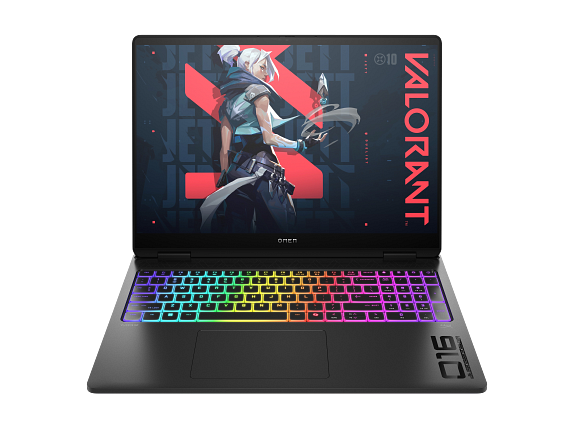
OMEN MAX Gaming Laptop 16-ah0097nr 16", Windows 11 Home, Intel® Core™ Ultra 9, 32GB RAM, 1TB SSD, NVIDIA® GeForce RTX™ 5080, WQXGA, Shadow black

HP

32 GB RAM1 TB StorageIntel® Core™ Ultra 9 275HX (up to 5.4 GHz with Intel® Turbo Boost Technology, 36 MB L3 cache, 24 cores, 24 threads)[6,7]NVIDIA® GeForce RTX™ 5080 Laptop GPU (16 GB GDDR7 dedicated)16"
$3,799.99

Price last checked Sep 18, 2026

Why it made the list: The audience is the commuter, the coffee-shop worker, and the classroom-hopper: anyone whose laptop spends more time moving than sitting on a desk. Its 6.1-pound frame is light enough that the laptop disappears into a normal backpack instead of anchoring the bottom of it. The 16" screen gives it more working area than the 13-14" crowd, at the cost of being slightly more of an event to carry.

Best for higher frame rates

Acer Predator Helios 18 AI Gaming Laptop - PH18-73-974G

Acer

32 GB RAM1 TB StorageIntel® Core™ Ultra 9 275HX processor Tetracosa-core (24 Core™) 2.70 GHzGeForce RTX™ 508018"
$3,099.99

Price last checked Aug 31, 2026

Why it made the list: The audience is someone comparing the whole laptop, not just the loudest spec on the page. The configuration to notice is GeForce RTX™ 5080, 32GB RAM, 1TB SSD, which gives this specific pick its place at #10. Treat it as a comparison pick first: the lowest core count here at 24 cores is the part that should decide whether it belongs above a cleaner-looking alternative.

Prices and availability are snapshots taken when we last refreshed this catalog and may change without notice. Confirm the current price, configuration, and stock on the retailer’s or manufacturer’s own product page before buying. Affiliate disclosure.

Want More Control?

Use this guide as the shortlist, then refine by price, RAM, GPU, battery life, weight, display size, and software requirements inside the full FilterKilter tool.

Open FilterKilter — Full Filtering & Sorting Tool →

Frequently Asked Questions

What should you compare first in this category?

Start with the non-negotiables for this kind of developer: performance, portability, display size, and price. Once those are aligned, compare smaller quality-of-life details like ports, keyboard feel, battery life, and thermals.

How much RAM is enough?

For this category, 32 GB is the safer baseline if you want consistent performance under heavier multitasking or demanding creative and technical workloads.

Why does a dedicated GPU matter here?

This category benefits from stronger graphics performance, but you should still judge the whole package: cooling, power limits, display quality, and battery life matter just as much as the GPU model.

Sources and Notes

Fusion 360 system requirements

Autodesk. Official Autodesk requirements for Fusion 360; the recommended tier calls for 32 GB RAM, a dedicated GPU with 8 GB VRAM, and 8 CPU cores, informing this guide's memory, graphics, and processor thresholds. Accessed 2026-06-08.

Git system requirements

Git SCM. Official Git SCM requirements for Git; the recommended tier calls for 8 GB RAM and 4 CPU cores, informing this guide's memory and processor thresholds. Accessed 2026-06-08.

PostgreSQL system requirements

PostgreSQL Global Development Group. Official PostgreSQL Global Development Group requirements for PostgreSQL; the recommended tier calls for 8 GB RAM and 4 CPU cores, informing this guide's memory and processor thresholds. Accessed 2026-06-08.

GeForce RTX laptop GPUs

NVIDIA. GPU-family context for gaming and GPU-accelerated creative guides. Accessed 2026-05-21.

Steam Hardware and Software Survey

Valve. Market context for common gaming hardware and realistic gaming expectations. Accessed 2026-05-21.

Visual Studio Code requirements

Microsoft Visual Studio Code Docs. Editor and development-tool context for programming guides. Accessed 2026-05-21.

Docker Desktop on Windows

Docker Docs. Local container workload requirements for developer computer recommendations. Accessed 2026-05-21.

Python documentation

Python Software Foundation. General Python setup context for data, scientific, and programming guides. Accessed 2026-05-21.

Check Exact Software Requirements

FilterKilter scores every laptop in its catalog against official publisher system requirements. Open any title below for its minimum, recommended, and optimal specs — plus a live list of laptops that meet them.

Browse all software system requirements →

Browse All Laptop Buying GuidesClick to expand
← Browse all FilterKilter buying guides