Best Lightweight Laptops

By the FilterKilter Editorial Team

Updated September 18, 2026

How we rank

When the machine goes everywhere with you, weight is the specification you feel every day. This list covers laptops under 3 lb with 8 GB of RAM and 512 GB of storage, ranked on portability and everyday capability. It is a weight-led list, and the sections below cover the things that matter just as much on the road and that this ranking cannot see.

What to Look For

  • ✓Under 3 lb is the threshold where a laptop stops being something you plan around, and it is this page's gate. Under 2.5 lb is noticeably lighter again; set a lower weight ceiling in the full tool if that is the priority, because this list does not band by weight below its own limit.
  • ✓Battery life is the other half of portability, and this list does not gate on it. Check the manufacturer figure for the specific model rather than inferring it from weight; we hold a published runtime for about one laptop in ten, so a filter on it would hide nine in ten rather than rank them.
  • ✓A 13- or 14-inch display is the usual balance between weight and usable screen. 16-inch machines under 3 lb exist and cost more for the same components.
  • ✓Check the ports before ordering. Thin machines drop them to save space, and a hub adds back some of the weight and all of the inconvenience you were avoiding.
  • ✓A light chassis is not automatically a fragile one, but the two are related and we hold no build-quality data. Handle one if you can, or read reviews that test it.

Choose for Your Situation

Use these checks to narrow the shortlist for your workflow. Each section notes where the catalog cannot settle the decision.

Taking it on the road

Travel is the case this list is most often used for, and it turns on things a weight ranking does not measure. Work through these against a specific model rather than against the order below.

  • •Battery: check the manufacturer figure for the exact configuration. Two versions of the same model can differ by hours depending on the processor and screen.
  • •Charging: a machine that charges over USB-C can share a phone charger and a power bank. A proprietary barrel connector means a second brick in the bag.
  • •Ports: confirm you can connect what you actually carry; a card reader, a display, a drive; or budget for a hub and the extra weight it adds.
  • •Durability: look for a metal chassis and, if it matters to you, a stated drop or environmental test standard from the manufacturer.
  • •Screen: a matte or anti-glare panel is far easier on a plane or in a bright cafe than a glossy one.

None of this is ranked on. We hold no data on charging method, port inventory, chassis material, durability testing or screen finish, and this guide does not gate on battery life at all. The ranking sees weight, memory, storage, cores and price.

Carrying it to work, not just on holiday

This page absorbed our thin-and-light business guides. The weight promise in their names is the one thing this list enforces directly; every machine above is under 3 lb, which our business guide does not require of anything. What it does not carry is the business half: this ranking is built around portability and everyday capability, not around warranty, manageability or fleet support.

  • •If your employer or IT policy requires manageability, a TPM, or an on-site warranty, check those on the specific model; they are the difference between a consumer ultraportable and a business one, and nothing above is filtered on them.
  • •This list admits 8 GB machines; the business guides that folded in here required 16 GB. If you run a full application suite, a video call and a browser of tabs at once, read the memory figure off the listing rather than trusting the position.
  • •Buy the keyboard you will type on for three years. A sub-3 lb chassis is where key travel gets sacrificed first, and it is the complaint that outlasts every other specification.
  • •For a fleet rather than one machine, our business laptops guide is the better starting point; standardising on one model matters more than saving a few ounces per person.

We hold no field for warranty, support terms, manageability or security hardware, so none of it is ranked or filtered here. This page gates on weight and its ranking is a portability one; it is not a business shortlist that happens to be light.

Going lighter, spending less, or lasting longer

This page absorbed our ultralight, $1,000, $1,500 and battery-life guides. Three of the four were this page with one number changed. The battery-life guide was not, and it is the one worth being careful about: it admitted machines up to 4 lb where this page stops at 3, so some of what it listed will not appear here.

  • •For under 2.8 lb, set the weight ceiling in the full tool. This page gates at 3 lb and does not band below that, so the very lightest machines are mixed in with the merely light ones.
  • •On a budget, set a maximum price rather than reading down this list; it ranks on portability, not on value, so it will not surface the cheapest machine that clears 3 lb.
  • •For battery life specifically, check the manufacturer figure for the exact configuration. We hold a published runtime for about one laptop in ten, so no guide can rank honestly on it, and a filter would hide nine in ten rather than order them.
  • •A heavier machine with a bigger battery often lasts longer than a lighter one. If hours away from a socket matter more than the weight in the bag, this page's 3 lb gate is working against you; raise it in the tool.

This page gates on weight and does not rank on battery life or price at all. The retired battery-life guide allowed up to 4 lb and required a published runtime of 10 hours; this page does neither, so it is not a battery shortlist and machines between 3 and 4 lb are excluded outright rather than ranked low.

How We Chose

Best Lightweight Laptops is for buyers comparing 8 GB of RAM or more, 512 GB of storage or more, and a carry weight under 3 lb. The shortlist comes from those requirements against the live catalog; portability, build quality, and keyboard comfort are what to weigh when you compare what is left.

  • 1Each pick must match the guide brief: 8 GB of RAM or more, 512 GB of storage or more, and a carry weight under 3 lb.
  • 2The generator sorts matching laptops by the laptop-mobility intent score first and applies a per-brand cap so one lineup does not crowd out the page.
  • 3RAM and SSD capacity are treated as practical ownership factors, not just spec-sheet decoration.
  • 4Portability and battery life can break ties because they change how the laptop feels after the first week.
  • 5Retailer links and commissions do not affect ranking order.

Our Top Picks

Affiliate disclosure: Links to retailers on this page are affiliate links. If you buy after clicking one, we may earn a commission at no extra cost to you. Commissions do not influence which laptops we rank or in what order. See our full Affiliate Disclosure.

Data & accuracy: Rankings are based on publisher specifications, retailer pricing snapshots, and published system requirements. We do not physically test the products listed, and prices, configurations, and availability change frequently. Always confirm the exact configuration and final price on the retailer’s site before buying. See our full methodology →

Informational only: Content on this site is provided for informational purposes and is not professional, financial, or technical advice. Use your own judgment when making a purchase.

LG gram 14-inch Thin and Lightweight Laptop1

Image: Amazon · Affiliate link

Best all-around workday pick

LG gram 14-inch Thin and Lightweight Laptop, Windows 11 Home, AI-Enabled Intel Evo Edition Powered by Intel Core…

LG

32 GB RAM1 TB StorageIntel Core Ultra 714"Up to 30 hr (claimed)
$1,499.99

Price last checked Jun 24, 2026; verify before buying

Why it made the list: The audience is the commuter, the coffee-shop worker, and the classroom-hopper: anyone whose laptop spends more time moving than sitting on a desk. The 14" display is small but that is the point. It is chosen for carry more than for desk real estate. LG gram 14-inch Thin and Lightweight Laptop keeps the first slot because the most memory here at 32GB gives this listing a specific job in the lineup.

Best for daily carry

Acer Swift Edge 14 AI Laptop - SFE14-51T-75PZ

Acer

32 GB RAM1 TB StorageIntel® ARC™ 140V GPU shared memory14"Up to 21 hr (claimed)
$1,499.99

Price last checked Jun 4, 2026; verify before buying

Why it made the list: What keeps it near the top is that it fills the role of the take-anywhere option. The fit is a buyer who values lower carry weight as much as another small bump in benchmark speed. The processor choice matters: Intel® ARC™ 140V GPU shared memory keeps the pick aligned with the guide instead of relying only on RAM or storage to carry the value case. Rated around 21 hours of battery, it has enough headroom for long class stretches, coffee-shop work, or a full flight without hunting for an outlet. The flip side is straightforward: you are paying for polish and headroom here, not just checking the minimum boxes for the category. Its clearest spec identity is Intel® ARC™ 140V GPU shared memory, 32GB RAM, 1TB SSD, a combination that keeps it from blending into the rest of the list.

Best for daily carry

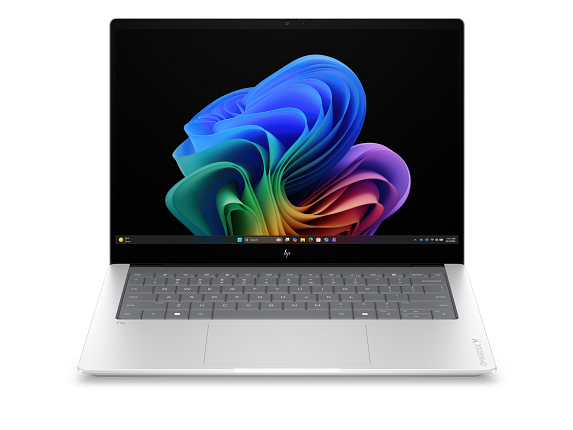
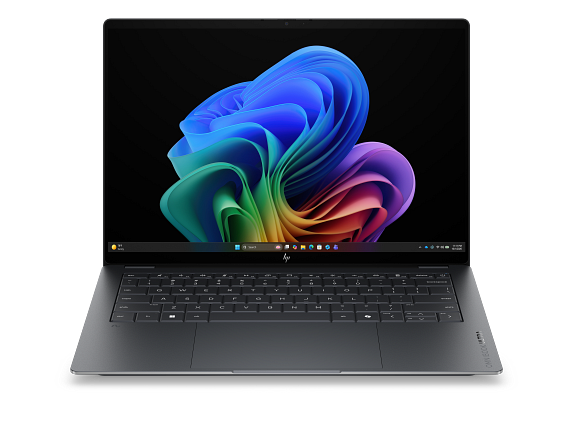
HP OmniBook Ultra Laptop Next Gen AI 14, Windows 11 Home, 14", Touch screen, Intel® Core™ Ultra X9, 32GB RAM, 2TB SSD, 3K, Eclipse gray

HP

32 GB RAM2 TB StorageIntel® Core™ Ultra X914"Up to 20.8 hr (claimed)
$2,299.99

Price last checked Sep 18, 2026

Why it made the list: Think of it as the easiest laptop to live with on the move. That is the niche it actually earns its place in. It fits buyers who measure "good laptop" partly by how little they notice it in a bag. At 2.8 pounds, it is one of the easiest machines on this page to carry from a morning class to a late library session without thinking about it. A 14" footprint keeps it firmly on the portable side of the portability-vs-workspace tradeoff.

Best for daily carry

HP OmniBook X Laptop Next Gen AI 14, Windows 11 Home, 14", Touch screen, Intel® Core™ Ultra X9, 32GB RAM, 2TB SSD, 3K, Glacier silver, 2 year warranty

HP

32 GB RAM2 TB StorageIntel® Core™ Ultra X9 388H (up to 5.1 GHz with Intel® Turbo Boost Technology, 18 MB L3 cache, 16 cores, 16 threads)[6,7]14"Up to 20 hr (claimed)
$3,099.99

Price last checked Sep 18, 2026

Why it made the list: Its case on this list is that it works as the bag-friendly portability pick. It is for people who move between rooms, classes, flights, or meetings and do not want the laptop deciding the route. At $3,099.99 it is priced like a step-up pick, not a bare-minimum buy. That is partly why it shows up in a different role than the cheaper entries here. A 2TB SSD gives it more breathing room than the 256GB-512GB drives common at this tier, especially once apps, project files, or games pile up. At this price you are buying real margin over the entry-level picks. Nice, but overkill if your workload actually fits on a mid-list machine. Skip it if the lowest possible price matters most. That is the catch. Compare closely. Compared with nearby picks, the useful details are 32GB RAM, 2TB SSD rather than the brand name alone.

LG gram Pro 16-inch Thin and Lightweight Dual AI Laptop5

Image: Amazon · Affiliate link

Best for daily carry

LG gram Pro 16-inch Thin and Lightweight Dual AI Laptop Computer, Windows 11 Home, Copilot+ PC, Intel Core Ultra X7…

LG

32 GB RAM1 TB StorageIntel Core Ultra 716"Up to 27 hr (claimed)
$3,299.99

Price last checked Jun 24, 2026; verify before buying

Why it made the list: It makes the most sense when the laptop spends as much time in transit as it does open on a desk. The 2.6-pound carry weight keeps the commute + class-hop routine from turning into shoulder strain by Wednesday. The 16" display is the real story. It gives you noticeably more room for split-screen research, long writing sessions, or multitrack timelines than the 13- and 14-inch picks nearby. Treat it as a comparison pick first: the largest screen here at 16 inches is the part that should decide whether it belongs above a cleaner-looking alternative.

Dell XPS 13 9350 AI Business Laptop6

Image: Amazon · Affiliate link

Best premium feel

Dell XPS 13 9350 AI Business Laptop (13.4" FHD+ 120Hz, Intel Core Ultra 7 256V (> i7-1355U), 16GB 8533MT/s, 1TB SSD)…

Dell

16 GB RAM1 TB StorageIntel Core Ultra 7 256V13.4"Up to 26 hr (claimed)
$1,599.99

Price last checked Jun 24, 2026; verify before buying

Why it made the list: The angle here is simple: the nicer-build pick in this group, plus the basics. It suits people who genuinely carry their laptop all day and want it to feel like part of the backpack, not an extra burden. XPS is the part of the name that points toward polish, especially if build quality and the screen matter as much as raw specs. Weight is a real selling point here. 2.6 pounds is well under the category average and makes everyday carry a non-event.

Dell XPS 13 9345 Laptop7

Image: Amazon · Affiliate link

Best premium feel

Dell XPS 13 9345 Laptop, Copilot+ AI PC (13.4" FHD+ 120Hz, Snapdragon X Plus (> Intel i7-1355U), 16GB 8448MT/s RAM, 2TB…

Dell

16 GB RAM2 TB StorageIntel Core i7-1355U13.4"Up to 27 hr (claimed)
$1,549.99

Price last checked Jun 24, 2026; verify before buying

Why it made the list: It rounds out the lineup as the premium-feeling option here, which is a lane the top picks do not fully claim. The XPS badge shows up in the small stuff: keyboard feel, speaker quality, chassis rigidity, and a display most of this guide's cheaper picks cannot match. With 16GB onboard, it has the multitasking cushion that many cheaper 8GB configurations lack. What separates this SKU is the mix of a Core 7-class Intel processor, 16GB RAM, 2TB SSD, which is why it has a distinct role here.

Best for daily carry

Asus Expertbook Ultra

ASUS

32 GB RAM1 TB StorageIntel® Core™ Ultra X7 Processor 358H 1.9 GHz (18MB Cache, up to 4.8 GHz, 16 Cores, 16 Threads); Intel® AI Boost NPU up to 50 TOPS Intel® Core™ Ultra 7 Processor 356H 1.9 GHz (18MB Cache, up to 4.7 GHz, 16 Cores, 16 Threads); Intel® AI Boost NPU up to 50 TOPS14"
$3,599.99

Price last checked Jul 30, 2026; verify before buying

Why it made the list: At 14" the screen is compact, which keeps the chassis small enough to live in a backpack without feeling like homework. $3,599.99 puts it in upgrade territory, and the spec sheet actually reflects it rather than just charging for the badge. Skip it if you need one obvious headline spec. That is the catch. Compare closely.

Microsoft Surface Laptop for Business9

Image: Amazon · Affiliate link

Best premium feel

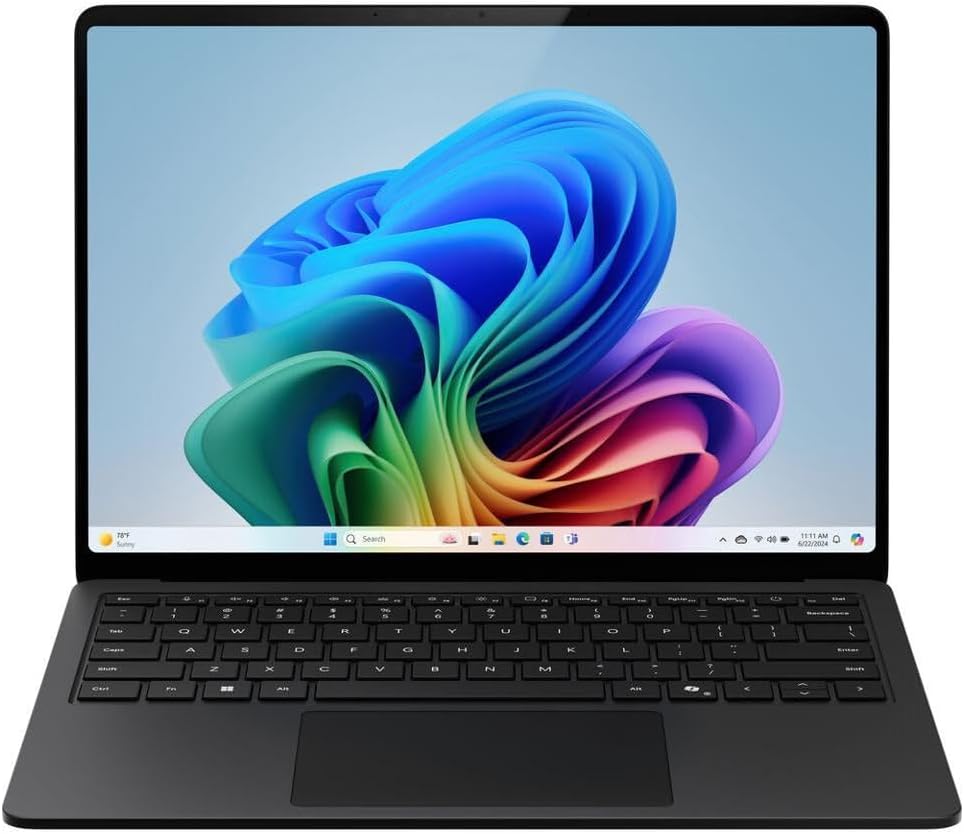
Microsoft Surface Laptop for Business (2025) Windows 11 Pro Copilot+ PC, 13.8" Intel Core Ultra 7 (Series 2), 32GB RAM…

Microsoft

32 GB RAM1 TB StorageIntel Core Ultra 713.8"Up to 20 hr (claimed)
$2,432.59

Price last checked Jun 24, 2026; verify before buying

Why it made the list: This pick stays relevant by being the more polished premium-class pick of the bunch without pretending to do every job. The Surface Laptop lineage helps explain why this feels like a nicer daily machine than the more basic configurations nearby. The ~20-hour battery estimate is one of those quiet-but-real quality-of-life upgrades over the weaker options on this list.

Best for daily carry

Expertbook B9 Oled B9403 Series 1 Intel

ASUS

32 GB RAM1 TB StorageIntel vPro® Essentials with Intel® Core™ 7 processor 150U 1.8 GHz (12MB Cache, up to 5.4 GHz, 10 cores, 12 Threads)14"
$2,069.99

Price last checked Jul 30, 2026; verify before buying

Why it made the list: Lower on the page, the argument shifts to the lightest-feeling daily carry and day-to-day practicality. Its OLED screen is the clearest reason to pick it over a similarly configured LCD laptop. 32GB of memory gives it more simultaneous-app headroom than the average pick on this page, which matters once the workload gets heavier than browser-plus-docs. This is the pick to compare carefully against the one above it: the least storage here at 1TB is the detail that changes the buying logic, not a vague sense that pricier must be better.

Prices and availability are snapshots taken when we last refreshed this catalog and may change without notice. Confirm the current price, configuration, and stock on the retailer’s or manufacturer’s own product page before buying. Affiliate disclosure.

Want More Control?

Sort by weight and filter by battery life, screen size and performance in the full FilterKilter tool.

Open FilterKilter — Full Filtering & Sorting Tool →

Frequently Asked Questions

Are lightweight laptops less powerful?

Not for most work. Current thin machines with Intel Core Ultra, AMD or Apple M-series chips handle everyday productivity fully. What you give up is graphics power, port selection, and often sustained performance under a long load rather than short bursts.

How light can a laptop get?

The lightest machines in our catalog are around 2.2 lb, and the LG gram line sits at the bottom of the range. This page gates at 3 lb; set a lower ceiling in the full tool if 2.8 lb or under is the deciding factor.

Do these picks have good battery life?

We cannot say from this list, and we would rather be plain about it. This guide gates on weight, not battery, and we hold a published battery figure for only about one in seven of the machines that qualify. Use the battery-life guide if runtime is the priority: it admits only machines with a published figure.

Sources and Notes

Windows 11 system requirements

Microsoft Support. Baseline Windows hardware requirements used when judging everyday Windows computers. Accessed 2026-05-21.

Microsoft 365 and Office resources

Microsoft Support. Office and Microsoft 365 compatibility context for school, work, and productivity picks. Accessed 2026-05-21.

Zoom system requirements

Zoom Support. Video-meeting requirements used for student, remote-work, and business recommendations. Accessed 2026-05-21.

Browse All Laptop Buying GuidesClick to expand
← Browse all FilterKilter buying guides