Best Gaming Laptops

By the FilterKilter Editorial Team

Updated September 23, 2026

How we rank

The difficult part of buying a gaming laptop is not finding an RTX badge. It is deciding how much graphics power you need, whether the chassis can sustain it, and what you are willing to carry. Our current performance-led shortlist is unusually premium: most picks are large 16 or 18-inch machines, and several cost more than $3,000. That makes this the right page for comparing high-end configurations, not proof that a good gaming laptop must cost that much. We rank advertised specifications from a live catalog. We do not lab-test frame rates, heat, fan noise, or battery life, so those remain checks for independent reviews and the exact listing.

What to Look For

  • ✓Start with the games, resolution, and settings you actually want. Fortnite at competitive settings and a new single-player game at 2560x1600 with ray tracing are different purchases.
  • ✓Read the full laptop GPU name and its power limit. NVIDIA lists wide power ranges within each RTX 50-series laptop tier, so two machines with the same badge can have meaningfully different performance. Our catalog rarely has enough power-limit data to rank that difference.
  • ✓Match the display to achievable frame rates. A 240 Hz panel is useful only when the laptop can feed it in your games; resolution, panel type, brightness, and response behavior matter alongside refresh.
  • ✓Treat 16 GB of RAM as the gaming floor and 32 GB as comfortable headroom for streaming, voice chat, browsers, and heavier games. Paying for 64 GB rarely improves game performance by itself.
  • ✓Buy at least 1 TB of storage if you keep several large games installed. Also check whether a second SSD slot is available, because the catalog records capacity but not upgrade access.
  • ✓Check measured noise, temperatures, sustained GPU power, and keyboard surface temperature in an independent review. A specification sheet cannot tell you whether a laptop stays fast after twenty minutes.
  • ✓Set the budget before comparing premium extras. This page has no price ceiling; the under-$1,250 guide is the better starting point for value, and the under-$700 guide explains what that tighter budget can and cannot buy.

Choose for Your Situation

Use these checks to narrow the shortlist for your workflow. Each section notes where the catalog cannot settle the decision.

Choose the GPU and screen as one decision

The GPU is the main performance purchase, but the screen decides what that performance has to deliver. Paying for both 4K pixels and very high refresh is expensive, and most games will force a choice between them.

  • •For competitive games, favor a 144 to 240 Hz panel and the GPU power needed to keep frame rates high at the settings you use.
  • •For visually demanding games, 2560x1600 at 160 to 240 Hz is a sensible premium target. A 4K laptop panel asks much more of the GPU and is difficult to appreciate on a 16-inch screen.
  • •Do not compare an RTX 5090 laptop directly with a desktop RTX 5090. The laptop part has its own specification and power envelope.
  • •If two laptops share a GPU name, compare published GPU power and measured sustained performance before comparing RAM or RGB.

We rank GPU model, VRAM, CPU, display specifications, memory, and price. We do not have reliable GPU power limits or measured game benchmarks for every configuration, so the order cannot prove which chassis is fastest in sustained play.

Decide whether a premium configuration earns its price

This page absorbed several price rungs and our separate top-performing guide. The present shortlist is concentrated above $2,000, where a higher price may buy more GPU, a better panel, more storage, or simply an expensive configuration bundle.

  • •Compare the GPU first. On the current list, a cheaper RTX 5080 configuration can be a stronger gaming buy than an RTX 5070 Ti loaded with 64 GB of system memory.
  • •Check what the price adds beyond the GPU: OLED versus IPS, 1 TB versus 2 TB, a higher refresh rate, lower weight, or a warranty you value. If you cannot name the gain, do not pay for it.
  • •Treat multiple listings with the same chassis and GPU as configurations, not separate recommendations. Compare their part numbers, memory, storage, warranty, and final checkout price directly.
  • •Use the under-$1,250 guide when price-to-performance matters more than flagship hardware. This page deliberately has no ceiling.

Retail prices change faster than the editorial copy. The comparison uses our latest snapshot, so confirm the exact SKU and final price before treating any value judgment as current.

Streaming what you play, and playing competitively

Streaming and competitive play pull the purchase in different directions. Streaming adds an encode workload and more background software. Competitive play rewards stable high frame rates and a fast display more than maximum visual settings.

  • •For streaming, confirm the encoder supported by your broadcasting software. NVIDIA documents NVENC as dedicated encode hardware separate from its CUDA cores, but codec support still varies by GPU generation and application.
  • •32 GB of system memory gives a game, broadcasting software, chat, alerts, and a browser more room than 16 GB. It is headroom, not a guarantee against dropped frames.
  • •For esports, choose refresh rate only after checking realistic frame rates for your title and settings. A 240 Hz panel adds little when the game runs at 100 frames per second.
  • •Check the webcam and microphone if you stream from the laptop alone, or budget for external equipment. Neither is part of our ranking.

We do not rank encoder support, webcam quality, microphone quality, network performance, or measured frame-time consistency. A streaming or esports buyer must verify those separately.

How We Chose

A performance-led comparison that makes the GPU, power limit, display, price, and portability tradeoffs explicit instead of treating every premium configuration as interchangeable.

  • 1Every pick has a verified dedicated GPU, at least 16 GB of RAM, at least 512 GB of storage, and a display rated at 120 Hz or higher.
  • 2The gaming score is led by GPU model and VRAM, followed by CPU and display capability. Extra system memory cannot outrank a clearly stronger graphics tier by itself.
  • 3Price, weight, and battery data contribute modestly because this is a performance-led guide, not a value or travel guide.
  • 4A per-brand cap limits lineup crowding, but multiple configurations of the same chassis can still appear when their GPU, CPU, memory, or storage differs.
  • 5Retailer relationships and commissions do not change eligibility or ranking order.

Compare the Shortlist

Start with the GPU, then compare the screen, storage, weight, and price. A blank or vague GPU name is a reason to verify the exact configuration, not a reason to assume the faster part.

Key specifications for the products in this guide
PickGPUDisplayStorageWeightSnapshot price
1. Lenovo Legion 9i Gen 10 IntelNVIDIA® GeForce RTX™ 5090 Laptop GPU 24GB GDDR718″ · 3840x2400 · 240 Hz2 TBNot listed$8,381.99
2. Lenovo ThinkPad T16g Gen 3 IntelNVIDIA® GeForce RTX™ 5090 Laptop GPU 24GB GDDR716″ · 3200x2000 · 120 Hz2 TBNot listed$7,159
3. Lenovo ThinkPad T16g Gen 3 IntelNVIDIA® GeForce RTX™ 5090 Laptop GPU 24GB GDDR716″ · 3200x2000 · 120 Hz4 TBNot listed$9,509
4. Dell Alienware 16 Area-51 Gaming LaptopNVIDIA® GeForce RTX™ 5090 24 GB GDDR716″ · 2560x1600 · 240 Hz2 TB7.49 lb$4,399.99
5. Dell Alienware 16 Area-51 Gaming LaptopNVIDIA® GeForce RTX™ 5080 16 GB GDDR716″ · 2560x1600 · 240 Hz2 TB7.49 lb$3,899.99
6. Dell Alienware 16 Area-51 Gaming LaptopNVIDIA® GeForce RTX™ 5090 24 GB GDDR716″ · 240 Hz2 TB7.49 lb$5,199.99
7. Alienware 18 Area-51 Gaming LaptopNVIDIA GeForce RTX 508018″ · 3840x2160 · 300 Hz4 TB7.49 lb$4,799.99
8. HP OMEN MAX Gaming Laptop 16-ah0097nr 16"NVIDIA® GeForce RTX™ 5080 Laptop GPU (16 GB GDDR7 dedicated)16″ · 2560x1600 · 240 Hz1 TB6.1 lb$3,799.99
9. Alienware Dell Alienware X16 R2 Gaming LaptopNVIDIA GeForce RTX 409016″ · 1920x1200 · 480 Hz4 TBNot listed$3,149
10. ASUS G815JPR-IS96 64GB RAM 1TB SSDNVIDIA ® GeForce RTX™ 5080 Laptop GPU ROG Boost: 1550MHz* at 175W (1500MHz Boost Clock+50MHz OC, 150W+25W Dynamic Boost) 16GB GDDR718″ · 2560x1600 · 144 Hz2 TB7.05 lb$2,499.99
11. ASUS G815JMR-SS74 8GB RAM 1TB SSDNVIDIA ® GeForce RTX™ 5080 Laptop GPU ROG Boost: 1550MHz* at 175W (1500MHz Boost Clock+50MHz OC, 150W+25W Dynamic Boost) 16GB GDDR718″ · 2560x1600 · 144 Hz2 TB7.05 lb$2,499.99
12. ASUS G815JPR-SB94 64GB RAM 1TB SSDNVIDIA ® GeForce RTX™ 5080 Laptop GPU ROG Boost: 1550MHz* at 175W (1500MHz Boost Clock+50MHz OC, 150W+25W Dynamic Boost) 16GB GDDR718″ · 2560x1600 · 144 Hz2 TB7.05 lb$2,499.99

Our Top Picks

Affiliate disclosure: Links to retailers on this page are affiliate links. If you buy after clicking one, we may earn a commission at no extra cost to you. Commissions do not influence which laptops we rank or in what order. See our full Affiliate Disclosure.

Data & accuracy: Rankings are based on publisher specifications, retailer pricing snapshots, and published system requirements. We do not physically test the products listed, and prices, configurations, and availability change frequently. Always confirm the exact configuration and final price on the retailer’s site before buying. See our full methodology →

Informational only: Content on this site is provided for informational purposes and is not professional, financial, or technical advice. Use your own judgment when making a purchase.

18-inch 4K flagship, extreme price

Legion 9i Gen 10 Intel (18″) with RTX 5090

Lenovo

64 GB RAM2 TB StorageIntel® Core™ Ultra 9 275HX Processor (E-cores up to 4.60 GHz P-cores up to 5.40 GHz)NVIDIA® GeForce RTX™ 5090 Laptop GPU 24GB GDDR718"
$8,381.99

Price last checked Sep 20, 2026

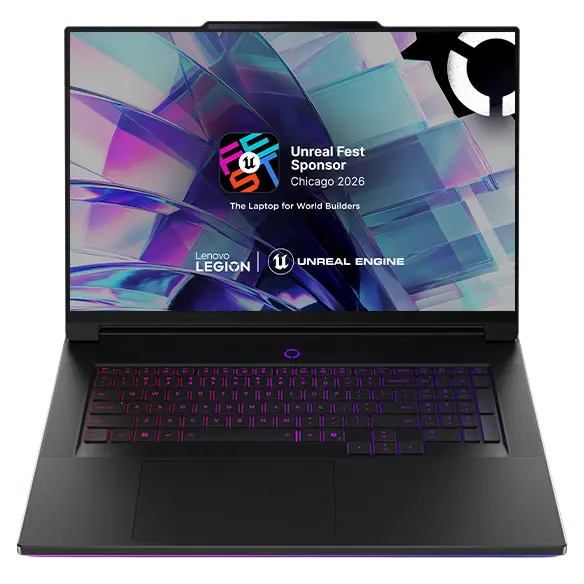
Why it made the list: The Legion 9i has a true flagship specification: RTX 5090 with 24 GB of VRAM, 64 GB of RAM, 2 TB of storage, and an 18-inch 240 Hz 3840x2400 panel. The problem is the $8,381.99 snapshot price, nearly twice the RTX 5090 Alienware below. That extra money buys a larger, denser screen and the Legion 9i package, not a higher GPU tier. Check measured performance at the panel's native resolution and the full carry weight before committing. Choose it only if the 18-inch 4K class display is central to the purchase.
Workstation crossover, not gaming value

ThinkPad T16g Gen 3 Intel (16”)

Lenovo

64 GB RAM2 TB StorageIntel® Core™ Ultra 9 275HX Processor (E-cores up to 4.60 GHz P-cores up to 5.40 GHz)NVIDIA® GeForce RTX™ 5090 Laptop GPU 24GB GDDR716"
$7,159

Price last checked Sep 18, 2026

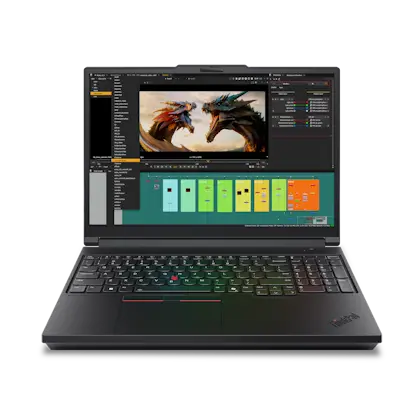
Why it made the list: This ThinkPad T16g combines an RTX 5090, 64 GB of RAM, 2 TB of storage, and a 3200x2000 OLED panel. Its 120 Hz refresh rate is the floor of this shortlist. The $7,159 price makes sense only when ThinkPad support or professional work matters alongside gaming.

128 GB workstation configuration

ThinkPad T16g Gen 3 Intel (16”)

Lenovo

128 GB RAM4 TB StorageIntel® Core™ Ultra 9 275HX Processor (E-cores up to 4.60 GHz P-cores up to 5.40 GHz)NVIDIA® GeForce RTX™ 5090 Laptop GPU 24GB GDDR716"
$9,509

Price last checked Sep 18, 2026

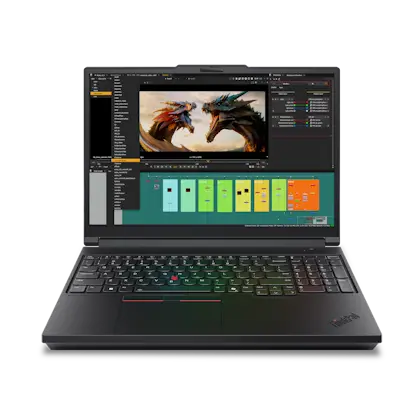
Why it made the list: The second T16g raises the same RTX 5090 and 120 Hz OLED platform to 128 GB of RAM and 4 TB of storage. Those upgrades suit large local datasets or virtual machines, not higher game frame rates. At $9,509, skip it for a gaming-only purchase.

Strongest GPU configuration

Alienware 16 Area-51 Gaming Laptop

Dell

32 GB RAM2 TB StorageIntel® Core Ultra 9 processor 275HX (24-Core, 36MB Total Cache, 2.7GHz to 5.4GHz)NVIDIA® GeForce RTX™ 5090 24 GB GDDR716"
$4,399.99

Price last checked Sep 18, 2026

Why it made the list: The RTX 5090 and its 24 GB of VRAM give this Area-51 the strongest graphics specification on the page. Its 32 GB of RAM, 2 TB SSD, and 240 Hz 2560x1600 display are appropriately matched to that role. The tradeoff is equally clear: $4,399.99 and 7.49 pounds before counting the power brick. It is also far cheaper in our snapshot than the other RTX 5090 entries, which makes it the configuration to beat if maximum graphics headroom is the goal. Independent thermal and noise testing still matters before buying a chassis this powerful.

Alienware RTX 5080 configuration

Alienware 16 Area-51 Gaming Laptop

Dell

32 GB RAM2 TB StorageIntel® Core Ultra 9 processor 275HX (24-Core, 36MB Total Cache, 2.7GHz to 5.4GHz)NVIDIA® GeForce RTX™ 5080 16 GB GDDR716"
$3,899.99

Price last checked Sep 18, 2026

Why it made the list: This version moves the Area-51 to an RTX 5080 with 16 GB of VRAM while keeping 32 GB of RAM and 2 TB of storage. At 7.49 pounds and $3,899.99, it is the sensible Alienware only when you do not need the RTX 5090 and prefer this chassis to lower-priced rivals.

OLED Alienware flagship

Alienware 16 Area-51 Gaming Laptop

Dell

32 GB RAM2 TB StorageIntel® Core Ultra 9 processor 290HX Plus (24-Core, 36MB Cache, 2.7Ghz to 5.5GHz)NVIDIA® GeForce RTX™ 5090 24 GB GDDR716"
$5,199.99

Price last checked Sep 18, 2026

Why it made the list: This Area-51 adds an OLED panel and a Core Ultra 9 290HX Plus to the RTX 5090, 32 GB RAM, and 2 TB configuration. Its 240 Hz refresh and 7.49-pound weight keep the same desk-first character as the cheaper Alienware options. It costs $800 more than the less expensive 24 GB Area-51 in our snapshot, so compare the OLED panel in person if possible before paying that premium.

Alienware 18 Area-51 Gaming Laptop7

Image: Amazon · Affiliate link

Listing conflict on the 18-inch display

Alienware 18 Area-51 Gaming Laptop, NVIDIA RTX 5080 16GB GDDR7, Intel Ultra 9 275HX 5.4GHz, 18" WQXGA 300Hz 2.5K…

Alienware

64 GB RAM4 TB StorageIntel Ultra 9 275HXNVIDIA GeForce RTX 508018"
$4,799.99

Price last checked Jun 15, 2026; verify before buying

Why it made the list: The useful parts are clear: RTX 5080, 64 GB of RAM, 4 TB of storage, and a listed 300 Hz refresh rate. The display description is not: the saved title says WQXGA 2.5K while the structured field says 3840x2160. Those resolutions create different GPU loads and cannot be treated as the same configuration. Its $4,799.99 Amazon price is also months old. Verify the exact panel, seller, and price before comparing it.

Lightest documented RTX 5080 pick

OMEN MAX Gaming Laptop 16-ah0097nr 16", Windows 11 Home, Intel® Core™ Ultra 9, 32GB RAM, 1TB SSD, NVIDIA® GeForce RTX™ 5080, WQXGA, Shadow black

HP

32 GB RAM1 TB StorageIntel® Core™ Ultra 9 275HX (up to 5.4 GHz with Intel® Turbo Boost Technology, 36 MB L3 cache, 24 cores, 24 threads)[6,7]NVIDIA® GeForce RTX™ 5080 Laptop GPU (16 GB GDDR7 dedicated)16"
$3,799.99

Price last checked Sep 20, 2026

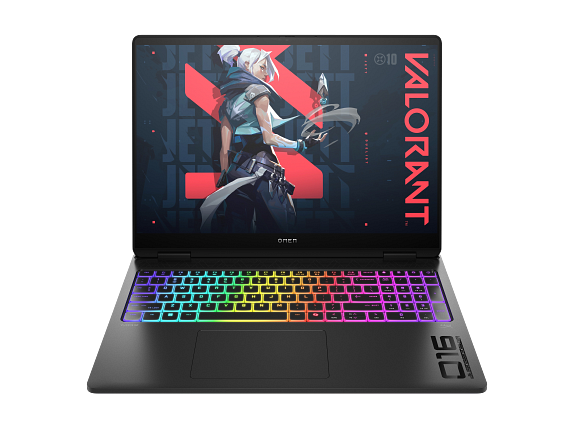
Why it made the list: At a listed 6.1 pounds, the OMEN MAX is the lightest RTX 5080 machine here with a recorded weight. Its 1 TB drive is half the capacity of the similarly priced OLED Legion, so lower carry weight has to matter.

Alienware Dell Alienware X16 R2 Gaming Laptop9

Image: Amazon · Affiliate link

480 Hz esports specialist

Dell Alienware X16 R2 Gaming Laptop, Intel Core Ultra 9 185H AI PC, 16 Inch FHD+ 480Hz, 32GB DDR5, 4TB SSD, Geforce RTX…

Alienware

32 GB RAM4 TB StorageIntel Core Ultra 9 185HNVIDIA GeForce RTX 409016"
$3,149

Price last checked Jun 24, 2026; verify before buying

Why it made the list: The Alienware x16 R2 is the outlier for competitive play: a 16-inch 1920x1200 panel rated at 480 Hz, backed by an RTX 4090, 32 GB of RAM, and a 4 TB SSD. That screen is useful only when your games and settings produce very high frame rates, and the lower resolution is part of how the machine can chase them. It is a focused esports choice rather than the best screen for cinematic games. The $3,149 Amazon price is months old, so confirm the seller and exact configuration.

Best RTX 5080 value here

ASUS G815JPR-IS96 64GB RAM 1TB SSD

ASUS

64 GB RAM2 TB StorageIntel ® Core™ Ultra 9 Processor 275HX 2.7 GHz (36MB Cache, up to 5.4 GHz, 24 cores, 24 Threads); Intel ® AI Boost NPU up to 13TOPSNVIDIA ® GeForce RTX™ 5080 Laptop GPU ROG Boost: 1550MHz* at 175W (1500MHz Boost Clock+50MHz OC, 150W+25W Dynamic Boost) 16GB GDDR718"
$2,499.99

Price last checked Sep 20, 2026

Why it made the list: This 18-inch ASUS is the value reference for the premium list: RTX 5080 at a stated 175 W, 16 GB of VRAM, 64 GB of RAM, and 2 TB of storage for $2,499.99 in the snapshot. The compromises are a 144 Hz IPS panel and a 7.05-pound chassis, but neither cancels a price gap this large for a buyer who mostly plays at a desk. It is the first value check against every pricier RTX 5080 above. Verify the exact G815JPR-IS96 part number because nearby ASUS listings carry conflicting text.

Configuration conflict: verify first

ASUS G815JMR-SS74 8GB RAM 1TB SSD

ASUS

64 GB RAM2 TB StorageIntel ® Core™ Ultra 9 Processor 275HX 2.7 GHz (36MB Cache, up to 5.4 GHz, 24 cores, 24 Threads); Intel ® AI Boost NPU up to 13TOPSNVIDIA ® GeForce RTX™ 5080 Laptop GPU ROG Boost: 1550MHz* at 175W (1500MHz Boost Clock+50MHz OC, 150W+25W Dynamic Boost) 16GB GDDR718"
$2,499.99

Price last checked Sep 20, 2026

Why it made the list: The saved name says 8 GB of memory and a 1 TB SSD, while our structured fields say 64 GB and 2 TB. Both cannot describe the same G815JMR-SS74. Confirm the SKU with the seller before treating it as a recommendation.

Duplicate-spec ASUS alternative

ASUS G815JPR-SB94 64GB RAM 1TB SSD

ASUS

64 GB RAM2 TB StorageIntel ® Core™ Ultra 9 Processor 275HX 2.7 GHz (36MB Cache, up to 5.4 GHz, 24 cores, 24 Threads); Intel ® AI Boost NPU up to 13TOPSNVIDIA ® GeForce RTX™ 5080 Laptop GPU ROG Boost: 1550MHz* at 175W (1500MHz Boost Clock+50MHz OC, 150W+25W Dynamic Boost) 16GB GDDR718"
$2,499.99

Price last checked Sep 20, 2026

Why it made the list: The G815JPR-SB94 repeats the IS96's $2,499.99 price, 175 W GPU ceiling, and 144 Hz 18-inch panel. Ignore the rank and compare the part number, seller, warranty, keyboard layout, and checkout price.

Prices and availability are snapshots taken when we last refreshed this catalog and may change without notice. Confirm the current price, configuration, and stock on the retailer’s or manufacturer’s own product page before buying. Affiliate disclosure.

Want More Control?

Set your ceiling first, then filter by GPU, VRAM, refresh rate, display size, weight, and the games you play in the full FilterKilter tool.

Open FilterKilter — Full Filtering & Sorting Tool →

Frequently Asked Questions

Why are most picks on this page so expensive?

This guide is uncapped and performance-led, so premium RTX 5080 and RTX 5090 configurations rise above cheaper machines. It is not a claim that you must spend $3,000. Use our under-$1,250 guide when you want the strongest shortlist inside a fixed budget.

Is an RTX 5090 laptop automatically the best choice?

No. It is the strongest GPU tier in this shortlist, but the laptop's power limit, cooling, display, noise, weight, and price decide whether it is the best purchase. A well-priced RTX 5080 can be the better buy for the same games and resolution.

Do I need 32 GB or 64 GB of RAM for gaming?

16 GB remains the floor used by this guide. 32 GB is comfortable headroom for streaming and heavy multitasking. 64 GB is usually valuable for creation or workstation tasks rather than for higher game frame rates, so do not let it distract from the GPU.

Should I buy a gaming desktop instead?

If the computer will stay on one desk, compare a desktop and monitor before paying for a seven-pound laptop and its power brick. A gaming laptop earns its premium when you genuinely need to move the whole setup between places.

Can FilterKilter tell me the fastest laptop in real games?

No. We rank advertised specifications and prices, not lab-measured frame rates. GPU power limits, cooling, firmware, and game settings can change results, so use this page to narrow the field and then check an independent review of the exact configuration.

Sources and Notes

GeForce RTX 50 Series laptop GPU specifications

NVIDIA. Official GPU tiers, VRAM, and the wide subsystem-power ranges that make exact laptop configuration important. Accessed 2026-09-22.

NVIDIA Video Codec SDK

NVIDIA Developer. Official explanation of NVENC as dedicated hardware separate from CUDA cores, plus current codec support context for streaming. Accessed 2026-09-22.

Fortnite PC system requirements

Epic Games. A primary example of how requirements change between minimum, recommended, and Epic-quality settings, including the 16 GB RAM and 8 GB VRAM recommendations at higher quality. Accessed 2026-09-22.

Steam Hardware and Software Survey

Valve. Current market context for the GPUs, memory, resolutions, and operating systems players actually use. Accessed 2026-09-22.

Euro Truck Simulator 2 system requirements

SCS Software. Official SCS Software requirements for Euro Truck Simulator 2; the recommended tier calls for 12 GB RAM, a dedicated GPU with 2 GB VRAM, and 4 CPU cores, informing this guide's memory, graphics, and processor thresholds. Accessed 2026-06-08.

Overwatch 2 system requirements

Blizzard Entertainment. Official Blizzard Entertainment requirements for Overwatch 2; the recommended tier calls for 8 GB RAM, a dedicated GPU with 6 GB VRAM, and 6 CPU cores, informing this guide's memory, graphics, and processor thresholds. Accessed 2026-06-08.

Check Exact Software Requirements

FilterKilter scores every laptop in its catalog against official publisher system requirements. Open any title below for its minimum, recommended, and optimal specs — plus a live list of laptops that meet them.

Browse all software system requirements →

Browse All Laptop Buying GuidesClick to expand
← Browse all FilterKilter buying guides