Best Laptops Under $500

By the FilterKilter Editorial Team

Reviewed July 23, 2026Picks unchanged since Jul 22, 2026

How we rank

Finding a solid laptop under $500 is absolutely possible in 2026. You will not get top-tier specs, but you can get a machine that handles web browsing, documents, video calls, and streaming without frustration. These picks maximize what you get for every dollar.

What to Look For

  • 8 GB of RAM is the minimum; avoid 4 GB models, as they struggle with modern web browsing alone.
  • An SSD (even 128 GB) is far better than a larger HDD. Speed matters more than raw capacity at this price.
  • Expect trade-offs: you may get a plastic build, a dimmer display, or a smaller battery. Pick the trade-off you can live with.
  • Chromebooks offer excellent value in this range if your workflow is browser-based.
  • Refurbished models from major brands can stretch your dollar further; many come with warranty.

How We Chose

Best Laptops Under $500 is for buyers comparing under $500, 8 GB of RAM or more, and 256 GB of storage or more. The hard part is separating meaningful specs from nice-looking extras, so this guide ranks live catalog picks by price, performance, and how much headroom you get for the money.

  • 1Each pick must match the guide brief: under $500, 8 GB of RAM or more, and 256 GB of storage or more.
  • 2The generator sorts matching laptops by overall FilterKilter rating first and applies a per-brand cap so one lineup does not crowd out the page.
  • 3The price ceiling is enforced from the slug and the product data, so an "under $500" guide cannot include over-budget picks.
  • 4RAM and SSD capacity are treated as practical ownership factors, not just spec-sheet decoration.
  • 5Retailer links and commissions do not affect ranking order.

Our Top Picks

Affiliate disclosure: Links to retailers on this page are affiliate links. If you buy after clicking one, we may earn a commission at no extra cost to you. Commissions do not influence which laptops we rank or in what order. See our full Affiliate Disclosure.

Data & accuracy: Rankings are based on publisher specifications, retailer pricing snapshots, and published system requirements. We do not physically test every laptop listed, and prices, configurations, and availability change frequently. Always confirm the exact configuration and final price on the retailer’s site before buying. See our full methodology →

Informational only: Content on this site is provided for informational purposes and is not professional, financial, or technical advice. Use your own judgment when making a purchase.

Best overall value

Vivobook Go 14 E1404F

ASUS

16 GB RAM512 GB StorageAMD Ryzen™ 5 7520U Processor 2.8GHz (6MB Cache, up to 4.3GHz, 4 cores, 8 Threads) AMD Ryzen™ 3 7320U Processor 2.4GHz (6MB Cache, up to 4.1GHz, 4 cores, 8 Threads)
$229.99

Why it made the list: Our top pick, and the reason is that it reads like the practical budget anchor for this guide. The fit is a buyer who values lower carry weight as much as another small bump in benchmark speed. $229.99 is meaningfully under the average sticker in this roundup, fitting for a "covers the basics without overspending" pick. The 512GB SSD keeps it from feeling stripped-down, which is not automatic at this price point. This is a budget-tier pick, so fit and finish, speakers, and display quality are where the money did not go. What separates this SKU is the mix of 16GB RAM, 512GB SSD, which is why it has a distinct role here.

HP 14" Laptop2

Image: Amazon · Affiliate link

Lowest price here

HP 14" Laptop · 576GB Storage · Microsoft 365 Included · 64GB + 512GB SD · 8GB RAM · HD Display · 12-Hour Battery ·…

HP

8 GB RAM576 GB StorageIntel N14"10 hr battery
$269

Why it made the list: What keeps it near the top is that it fills the role of the value-first option. It makes the most sense when the laptop spends as much time in transit as it does open on a desk. It sits low enough in the price stack to make sense for practical buyers who care more about the core laptop than premium extras. A 3.2-pound chassis strikes the workable middle ground between take-anywhere thin-and-lights and heftier 15-inch boxes. Price is the hook here, which also means the build, display, and extras are intentionally basic. That is the deal you are making. The configuration to notice is Intel N, 8GB RAM, 576GB SSD, which gives this specific pick its place at #2.

Best for split-screen work

Asus Vivobook Go 15 Oled E1504G

ASUS

8 GB RAM512 GB StorageIntel® Core™ i3-N305 Processor 1.8 GHz (6MB Cache, up to 3.8 GHz, 8 cores, 8 Threads) Intel® Processor N200 1.0 GHz (6MB Cache, up to 3.7 GHz, 4 cores, 4 Threads) Intel® Processor N100 0.8 GHz (6MB Cache, up to 3.4 GHz, 4 cores, 4 Threads)15.6"
$299.99

Why it made the list: Think of it as the split-screen-friendly pick. That is the niche it actually earns its place in. This is for people buying against a budget ceiling, not chasing the most impressive spec table. The 15.6" display is the real story. It gives you noticeably more room for split-screen research, long writing sessions, or multitrack timelines than the 13- and 14-inch picks nearby. OLED is the screen upgrade to notice, especially if your work benefits from deeper contrast and cleaner color than a basic LCD can show. The low sticker is the whole point, so think practical everyday adequacy rather than premium materials or surplus performance. Its clearest spec identity is an entry-level processor, 8GB RAM, 512GB SSD, a combination that keeps it from blending into the rest of the list.

HP Ultrabook 14 Laptop Computer Business Study & Home 20254

Image: Amazon · Affiliate link

Well-rounded pick

HP Ultrabook 14 Laptop Computer Business Study & Home 2025, Lifetime MS Office + Windows 11 Pro, Quad-Core Intel CPU…

HP

8 GB RAM628 GB StorageIntel N15014"9 hr battery
$309

Why it made the list: Its case on this list is that it works as a balanced lower-list option. The right reader wants a usable machine first, then nice-to-have extras only if the price allows. The 3.2-pound carry weight keeps it in practical everyday-bag range rather than pushing it toward desk-only duty. Its 628GB SSD is not flashy, but it gives basic apps, downloads, and school files a usable floor. Skip it if the lowest possible price matters most. That is the catch. Compare closely.

HP Ultrabook 14 Laptop Computer Business Study & Home 20255

Image: Amazon · Affiliate link

Well-rounded pick

HP Ultrabook 14 Laptop Computer Business Study & Home 2025, Lifetime MS Office + Windows 11 Pro, Quad-Core Intel CPU…

HP

8 GB RAM628 GB StorageIntel N15014"
$309

Why it made the list: It earns its slot by covering the role of a solid secondary pick. It is here for buyers who want the essentials covered first and would rather not pay extra for features they will not use. 628GB of SSD space is enough to keep the budget angle practical instead of turning storage into the first compromise. On the CPU side it relies on an entry-level processor, which is a more honest match for this use case than the vague minimum-tier chips that show up in weaker budget laptops. The reason to keep it on the shortlist is narrow but real: 8GB memory with 628GB storage gives it a specific lane when the surrounding picks start to blur together.

Dell Inspiron Laptop6

Image: Amazon · Affiliate link

Best for split-screen work

Dell Inspiron Laptop | 8GB RAM 256GB SSD PCIe | AMD Ryzen 3 3250U (Up to 3.5GHz) | 15.6" FHD (1920 x 1080p) Display |…

Dell

8 GB RAM256 GB StorageAMD Ryzen 3 3250U15.6"
$329.99

Why it made the list: The angle here is simple: the extra-workspace option, plus the basics. The reader for this pick is someone whose goal is "a working laptop I do not have to worry about" rather than a shiny spec sheet. The 15.6" screen gives it more working area than the 13-14" crowd, at the cost of being slightly more of an event to carry. Compared with nearby picks, the useful details are AMD Ryzen 3 3250U, 8GB RAM, 256GB SSD rather than the brand name alone.

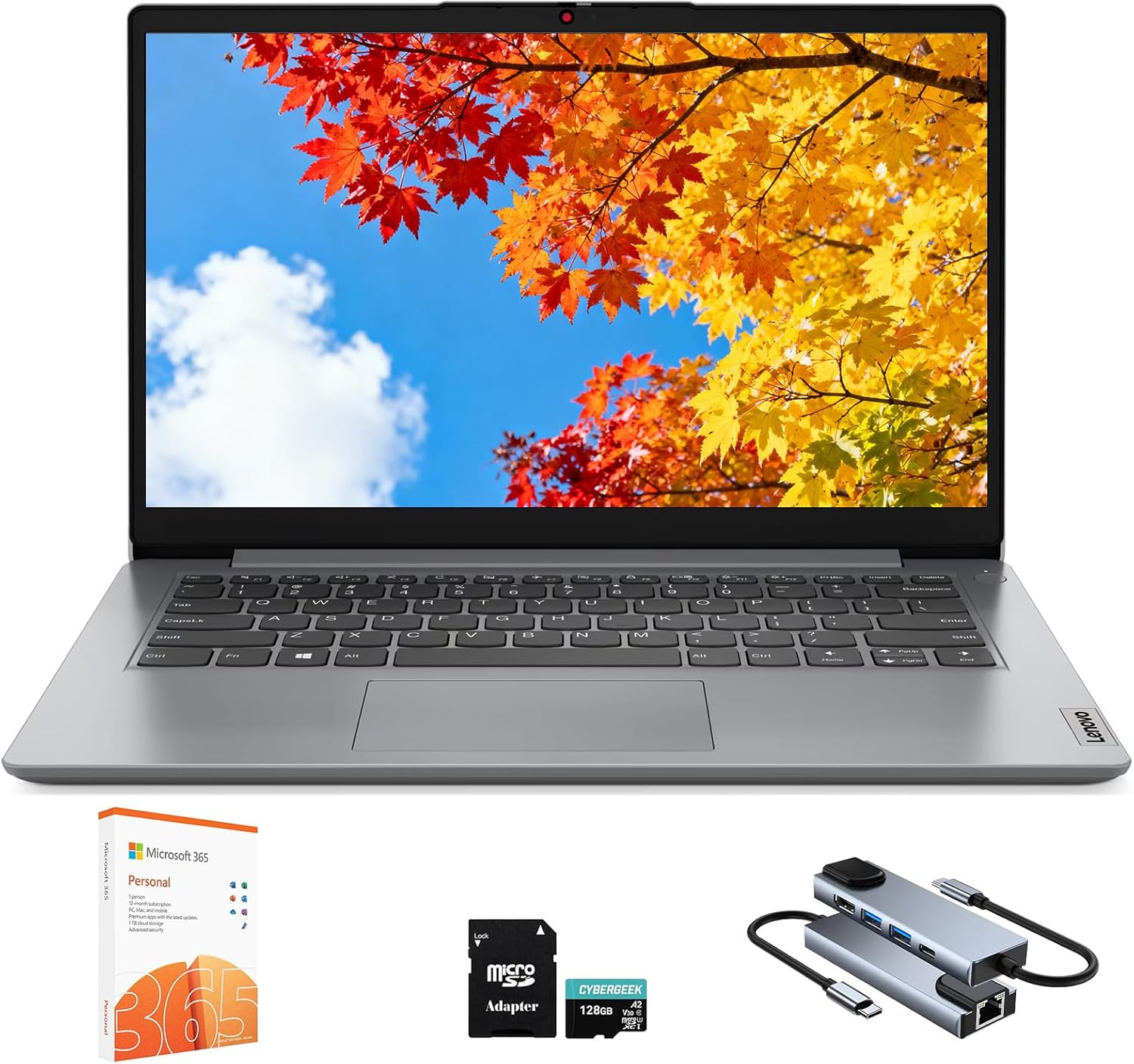
Lenovo IdeaPad 1 1i 14 inch Student Laptop with 1-Year Microsoft7

Image: Amazon · Affiliate link

Best for all-day battery

Lenovo IdeaPad 1 1i 14 inch Student Laptop with 1-Year Microsoft 365, Intel Dual Core Processor, 8GB RAM, 512GB SSD +…

Lenovo

8 GB RAM512 GB StorageIntel Core i3-1315U14"11 hr battery
$339.99

Why it made the list: It rounds out the lineup as the outlet-avoidance pick, which is a lane the top picks do not fully claim. It fits buyers who need the core laptop jobs covered and would rather keep the budget tight. A ~11-hour runtime gives it serious unplugged stamina, the kind that actually changes how you plan your day. Its an entry-level processor gives the rest of the spec sheet a solid base, especially when multitasking or heavier apps enter the picture.

Lenovo IdeaPad 1 Student Laptop8

Image: Amazon · Affiliate link

Best for split-screen work

Lenovo IdeaPad 1 Student Laptop, 15.6" FHD Display, Intel Dual Core Processor, 12GB RAM, 256GB SSD + 128GB eMMC, 1 Year…

Lenovo

12 GB RAM256 GB StorageCeleron15.6"9 hr battery
$399

Why it made the list: Reads as the spacious-screen alternative more than a star attraction, which is exactly why it is useful alongside the flagships. The value is in avoiding overbuying: enough for daily use, without paying for polish that may not matter. At 3.4 pounds it lands in honest backpack territory. It is not the featherweight of the group, but nothing you will dread carrying either. At this end of the market, a 256GB SSD matters because slow or cramped storage is where cheap laptops often feel cheap first. Skip it if you need one obvious headline spec. That is the catch. Compare closely.

Best for split-screen work

Vivobook 15 Laptop F1502

ASUS

8 GB RAM512 GB StorageIntel® Core™ i7-1260P Processor 2.1 GHz (18M Cache, up to 4.7 GHz, 4P+8E cores) Intel® Core™ i5-1240P Processor 1.7 GHz (12M Cache, up to 4.4 GHz, 4P+8E cores) Intel®Core™ i5-1235U Processor 1.3 GHz (12M Cache, up to 4.4 GHz, 10 cores) Intel® Core™ i3-1220P Processor 1.1 GHz (12M Cache, up to 4.4 GHz, 10 cores) Intel®Core™ i3-1215U Processor 1.2 GHz (10M Cache, up to 4.4 GHz, 6 cores)15.6"
$399.99

Why it made the list: This pick stays relevant by being the multitasking-screen pick without pretending to do every job. Vivobook 15 Laptop F1502 keeps the ninth slot because Vivobook identity plus 15.6" screen size gives this listing a specific job in the lineup. For the ninth pick, Vivobook 15 Laptop F1502 leans on Vivobook identity plus 15.6" screen size instead of a generic value argument.

Best for split-screen work

Dell 15 Laptop

Dell

8 GB RAM512 GB StorageIntel® Core™ 3 100U (6 cores, up to 4.7 GHz)15.6"
$399.99

Why it made the list: Lower on the page, the argument shifts to the extra-workspace option and day-to-day practicality. Treat it as a comparison pick first: 8GB memory with 512GB storage is the part that should decide whether it belongs above a cleaner-looking alternative. Dell 15 Laptop is here for a narrower reason: 4.2-pound weight plus $400 street price fits the guide better than another interchangeable spec sheet.

Want More Control?

Set your exact price ceiling and filter by the specs that matter most to you in the full FilterKilter tool.

Open FilterKilter — Full Filtering & Sorting Tool →

Frequently Asked Questions

Can a $500 laptop handle Microsoft Office?

Yes. Microsoft 365 runs well on any modern laptop with 8 GB of RAM and an SSD. You will have no issues with Word, Excel, PowerPoint, and Outlook.

Is a Chromebook better than a cheap Windows laptop?

At this price, often yes. Chromebooks tend to be faster, more secure, and longer-lasting than comparably priced Windows laptops; as long as you can live within the Chrome OS ecosystem.

Can I game on a laptop under $500?

Only casual or very old games. Modern gaming requires a dedicated GPU, which is not available in this price range. For gaming on a budget, see our budget gaming laptops guide.

Sources and Notes

Windows 11 system requirements

Microsoft Support. Baseline Windows hardware requirements used when judging everyday Windows laptops. Accessed 2026-05-21.

Microsoft 365 and Office resources

Microsoft Support. Office and Microsoft 365 compatibility context for school, work, and productivity picks. Accessed 2026-05-21.

Zoom system requirements

Zoom Support. Video-meeting requirements used for student, remote-work, and business recommendations. Accessed 2026-05-21.

Browse All Laptop Buying GuidesClick to expand
← Browse all FilterKilter buying guides