Best Windows Laptops

By the FilterKilter Editorial Team

Updated June 4, 2026

How we rank

Windows laptops offer the widest range of choices; from budget machines to creative powerhouses. This list highlights the best-rated Windows laptops across all brands and price points, so you can find the right fit no matter your needs.

What to Look For

  • Windows 11 runs best on modern processors (12th-gen Intel or newer, Ryzen 6000+). Check that your pick ships with current hardware.
  • Look for laptops with Windows Hello support (fingerprint or IR camera) for fast, secure logins.
  • If you use Windows-specific software (Outlook desktop, Access, Visual Studio), confirm the exact edition ships with the laptop.
  • NVMe SSD storage is standard in 2026; avoid models still shipping with eMMC or SATA drives in the sub-$400 range.
  • Thunderbolt 4 or USB4 ports future-proof your purchase for docking stations and external displays.

How We Chose

Best Windows Laptops is for buyers comparing 8 GB of RAM or more, 512 GB of storage or more, and Windows laptops. The hard part is separating meaningful specs from nice-looking extras, so this guide ranks live catalog picks by Windows compatibility, software breadth, and the tradeoff between portability and power.

  • 1Each pick must match the guide brief: 8 GB of RAM or more, 512 GB of storage or more, and Windows laptops.
  • 2The generator sorts matching laptops by overall FilterKilter rating first and applies a per-brand cap so one lineup does not crowd out the page.
  • 3RAM and SSD capacity are treated as practical ownership factors, not just spec-sheet decoration.
  • 4Retailer links and commissions do not affect ranking order.

Our Top Picks

Affiliate disclosure: Links to retailers on this page are affiliate links. If you buy after clicking one, we may earn a commission at no extra cost to you. Commissions do not influence which laptops we rank or in what order. See our full Affiliate Disclosure.

Data & accuracy: Rankings are based on publisher specifications, retailer pricing snapshots, and published system requirements. We do not physically test every laptop listed, and prices, configurations, and availability change frequently. Always confirm the exact configuration and final price on the retailer’s site before buying. See our full methodology →

Informational only: Content on this site is provided for informational purposes and is not professional, financial, or technical advice. Use your own judgment when making a purchase.

HP 14" Laptop1

Image: Amazon · Affiliate link

Best all-purpose Windows pick

HP 14" Laptop · 576GB Storage · Microsoft 365 Included · 64GB + 512GB SD · 8GB RAM · HD Display · 12-Hour Battery ·…

HP

8 GB RAM576 GB StorageIntel N14"10 hr battery
$269

Why it made the list: Number one here because it plays the part of the safest all-purpose Windows pick in the guide better than anything else we considered. At $269 it anchors the low end of the list, which is the whole reason this pick exists here. At 14" the screen is compact, which keeps the chassis small enough to live in a backpack without feeling like homework.

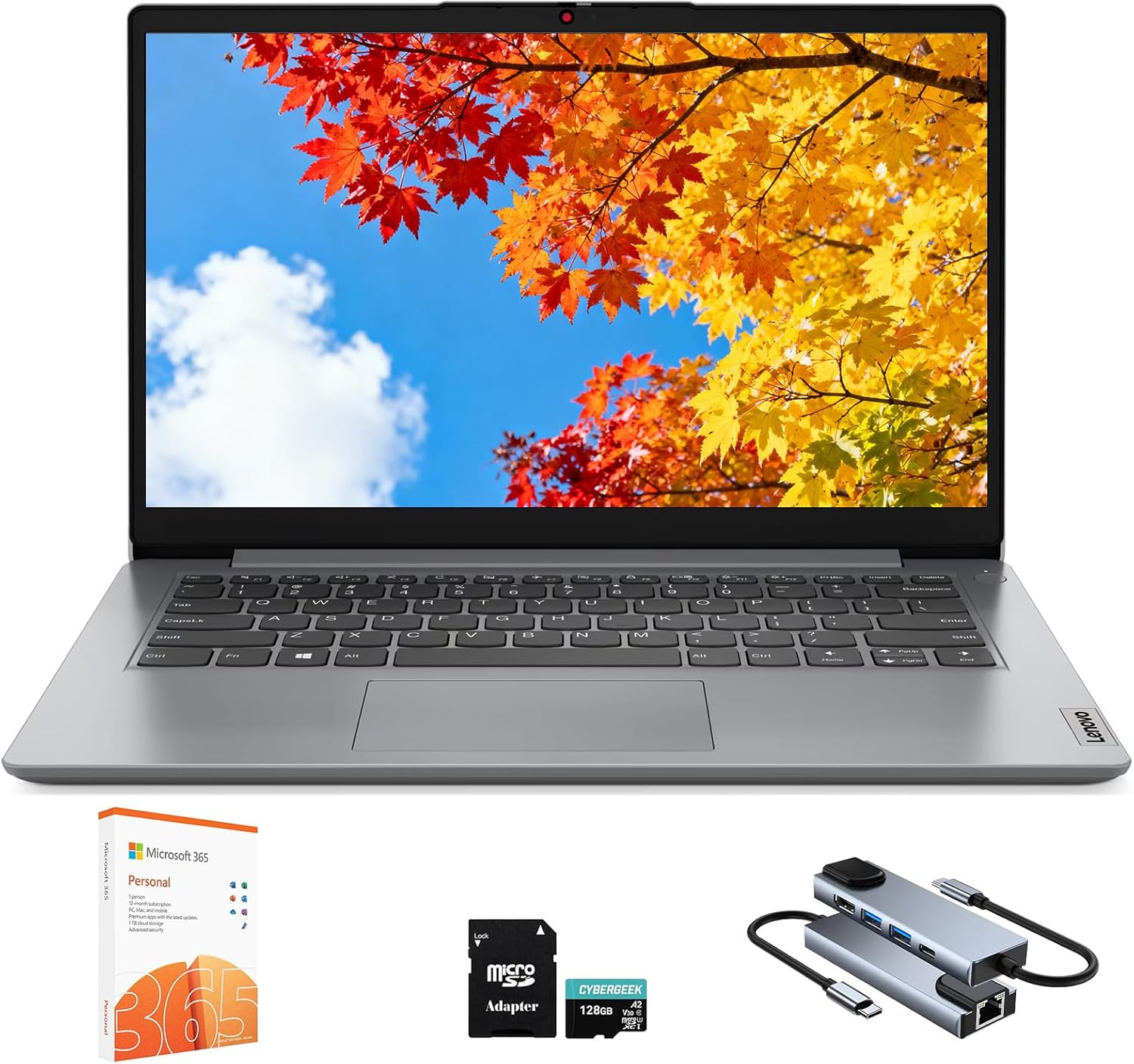
Lenovo IdeaPad 1 1i 14 inch Student Laptop with 1-Year Microsoft3

Image: Amazon · Affiliate link

Best for all-day battery

Lenovo IdeaPad 1 1i 14 inch Student Laptop with 1-Year Microsoft 365, Intel Dual Core Processor, 8GB RAM, 512GB SSD +…

Lenovo

8 GB RAM512 GB StorageIntel Core i3-1315U14"11 hr battery
$339.99

Why it made the list: Think of it as the unplugged-work option. That is the niche it actually earns its place in. The audience is a buyer who just needs a Windows laptop that will run whatever work, school, or family software they throw at it.

Best for split-screen work

Dell 15 Laptop with Intel Iris XE Graphics

Dell

8 GB RAM512 GB StorageIntel® Core™ 3 100U (6 cores, up to 4.7 GHz)15.6"
$379.99

Why it made the list: It fits buyers who want familiar Windows compatibility before chasing a more specialized machine. The 15.6" display is the real story. It gives you noticeably more room for split-screen research, long writing sessions, or multitrack timelines than the 13- and 14-inch picks nearby. Skip it if portability is the priority. That is the catch. Compare closely.

Best for split-screen work

Vivobook 15 Laptop F1502

ASUS

8 GB RAM512 GB StorageIntel® Core™ i7-1260P Processor 2.1 GHz (18M Cache, up to 4.7 GHz, 4P+8E cores) Intel® Core™ i5-1240P Processor 1.7 GHz (12M Cache, up to 4.4 GHz, 4P+8E cores) Intel®Core™ i5-1235U Processor 1.3 GHz (12M Cache, up to 4.4 GHz, 10 cores) Intel® Core™ i3-1220P Processor 1.1 GHz (12M Cache, up to 4.4 GHz, 10 cores) Intel®Core™ i3-1215U Processor 1.2 GHz (10M Cache, up to 4.4 GHz, 6 cores)15.6"
$399.99

Why it made the list: The appeal is broad software support and predictable everyday use, not a narrow trick. Treat it as a comparison pick first: 15.6" screen size is the part that should decide whether it belongs above a cleaner-looking alternative.

Best for split-screen work

Dell 15 Laptop

Dell

8 GB RAM512 GB StorageIntel® Core™ 3 100U (6 cores, up to 4.7 GHz)15.6"
$399.99

Why it made the list: It is a sensible Windows option when the machine needs to serve multiple people or multiple jobs.

Lenovo IdeaPad 1 Student Laptop7

Image: Amazon · Affiliate link

Best for split-screen work

Lenovo IdeaPad 1 Student Laptop, 15.6" FHD Display, Intel Dual Core Processor, 12GB RAM, 512GB SSD + 128GB eMMC, 1 Year…

Lenovo

12 GB RAM512 GB StorageCeleron15.6"9 hr battery
$429

Why it made the list: It is the safer choice when software compatibility matters more than experimenting with niche form factors or cloud-only workflows. Its an entry-level processor gives the rest of the spec sheet a solid base, especially when multitasking or heavier apps enter the picture.

Microsoft Surface Laptop 48

Image: Amazon · Affiliate link

Best premium feel

Microsoft Surface Laptop 4 (2021): 15" Touchscreen Laptop (AMD Ryzen 7/16GB RAM/512GB SSD) Black - French Keyboard

Microsoft

16 GB RAM512 GB StorageAMD Ryzen 715"10 hr battery
$429.09

Why it made the list: Having 16GB of RAM keeps this from feeling like a short-life budget spec once multitasking gets messy. The ~10-hour battery estimate is one of those quiet-but-real quality-of-life upgrades over the weaker options on this list. Skip it if the lowest possible price matters most. That is the catch. Compare closely.

ASUS Vivobook 14 inch FHD Business Laptop9

Image: Amazon · Affiliate link

Well-rounded pick

ASUS Vivobook 14 inch FHD Business Laptop, Intel Core i3-1315U, 32GB RAM, 2TB SSD, Windows 11 Home, Intel UHD Graphics…

ASUS

32 GB RAM2 TB StorageIntel Core i3-1315U14"6 hr battery
$439

Why it made the list: 2TB of storage changes the ownership math because you are less likely to start juggling files after the first few big installs. The processor choice matters: an entry-level processor keeps the pick aligned with the guide instead of relying only on RAM or storage to carry the value case.

Well-rounded pick

Acer Aspire Vero Green PC Laptop - AV14-52P-5205

Acer

8 GB RAM512 GB StorageIntel® Iris® Xe Graphics shared memory14"
$499.99

Why it made the list: Lower on the page, the argument shifts to a useful backup option for this brief and day-to-day practicality. At 3.3 pounds it lands in honest backpack territory. It is not the featherweight of the group, but nothing you will dread carrying either. This is the pick to compare carefully against the one above it: $500 street price is the detail that changes the buying logic, not a vague sense that pricier must be better.

Want More Control?

Filter Windows laptops by price, processor, RAM, GPU, screen size, and more in the full FilterKilter tool.

Open FilterKilter — Full Filtering & Sorting Tool →

Frequently Asked Questions

What is the best Windows laptop brand?

Lenovo, Dell, HP, and ASUS consistently produce high-rated Windows laptops. The best choice depends on the specific model and your use case, not the brand name.

Windows 11 Home vs Pro; which do I need?

Home is fine for personal use. Pro adds BitLocker encryption, Remote Desktop hosting, and group policy management; features that matter mainly in business or IT environments.

Are Copilot+ PCs worth it?

Copilot+ PCs with dedicated NPUs offer AI-powered features like live captions, image generation, and enhanced search. If you want cutting-edge AI features, they are worth considering. For traditional productivity, a standard Windows laptop is just as capable.

Sources and Notes

Windows 11 system requirements

Microsoft Support. Baseline Windows hardware requirements used when judging everyday Windows laptops. Accessed 2026-05-21.

Microsoft 365 and Office resources

Microsoft Support. Office and Microsoft 365 compatibility context for school, work, and productivity picks. Accessed 2026-05-21.

Zoom system requirements

Zoom Support. Video-meeting requirements used for student, remote-work, and business recommendations. Accessed 2026-05-21.

Browse All Laptop Buying GuidesClick to expand
← Browse all FilterKilter buying guides